
WyzeFocus
A task manager designed for ADHD minds. Plan your day, pick what fits, and get unstuck, with no streaks and no points. Synced through your iCloud, on Mac and on iPhone and iPad in Safari.
FREE No account, no subscription. This app is completely free.
Updated November 2026
Web version: free, nothing to install, on iPhone, iPad and any computer. Native iPhone and iPad apps coming soon.
Your download starts right away. Mac with Apple silicon · 115 MB
Demo & screenshots
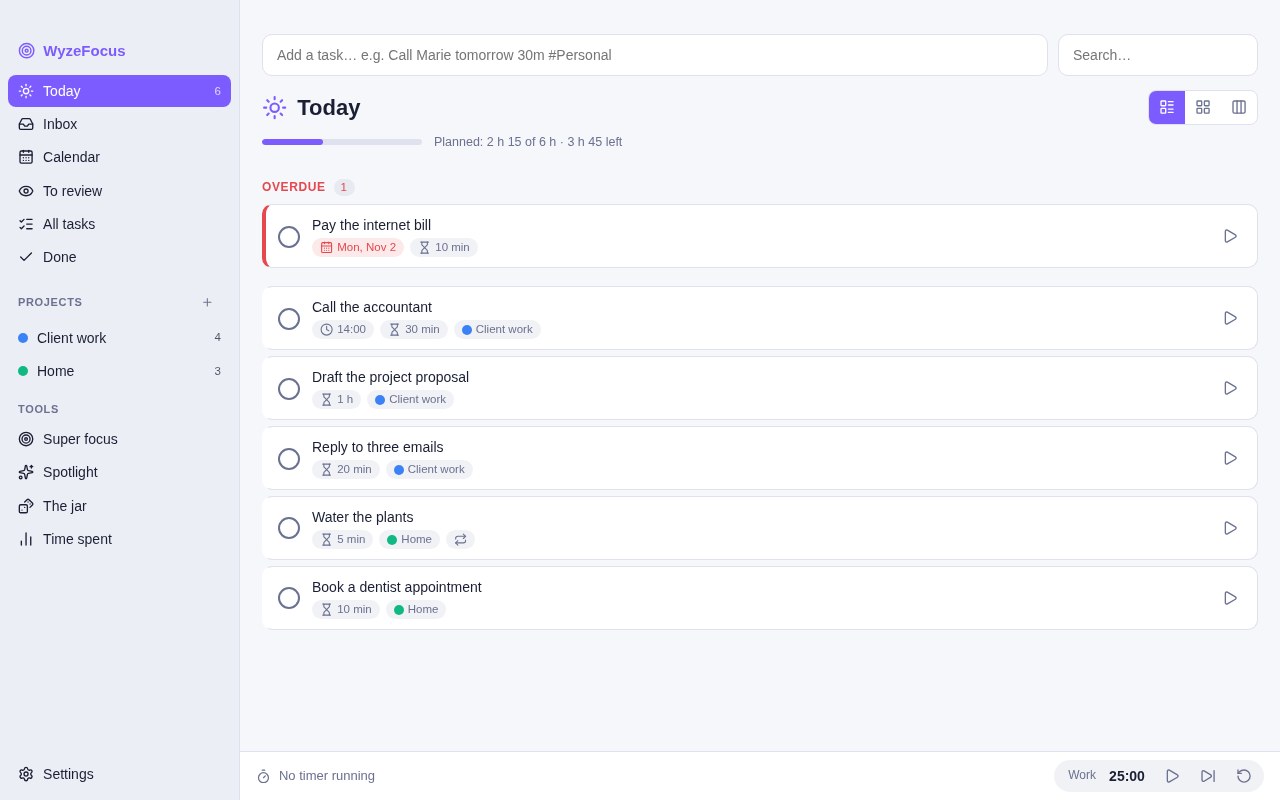
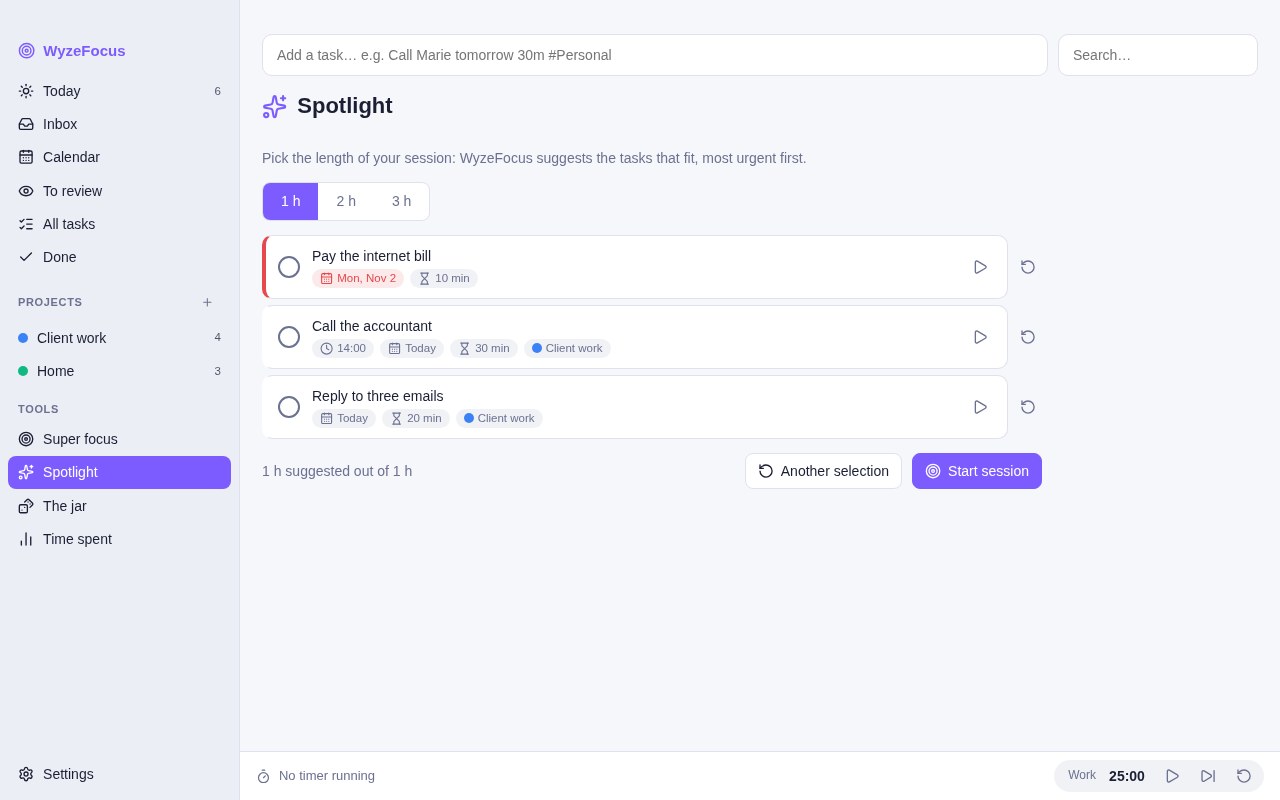
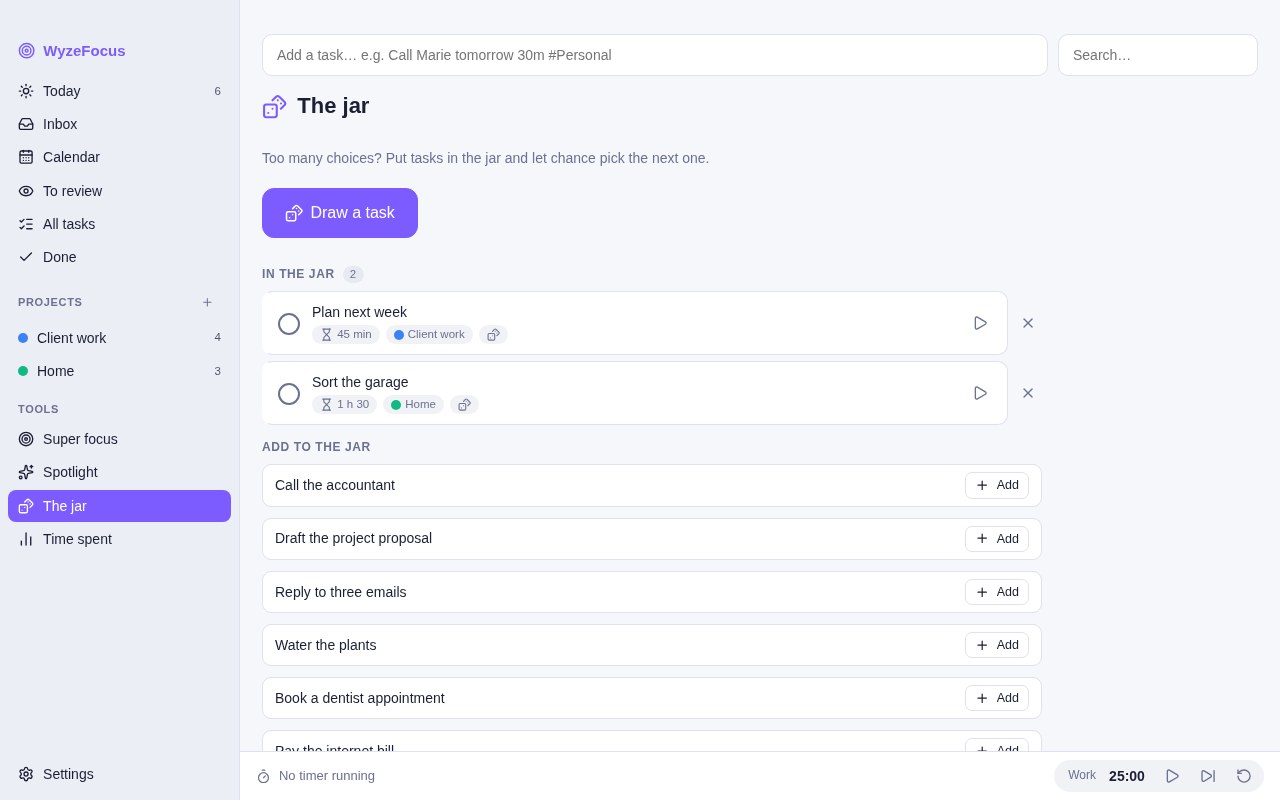
WyzeFocus is a task manager built around how ADHD brains actually work. Too many choices, a fuzzy idea of what “done” means, a task that feels too big to start: each of these has its own tool.
There are no streaks, no points and no badges. Your tasks live on your Mac, and the app works offline. Turn on iCloud sync to find them on your other Macs and on your iPhone or iPad, in the web version at wyzefocus.labwyze.com.
What you get
- A day you can see — Plan tasks for a day, with an optional time and an estimated length. A load indicator compares what you planned with the hours you have available, and turns red when the day is overloaded.
- Quick add that understands you — Type something like “Call Marie tomorrow 30m #Personal” and the date, duration and project are filled in for you.
- iCloud sync — Sign in with Apple once, and your tasks, projects and preferences sync between your Macs and the web version, through your own iCloud. There is no WyzeFocus server. When a task changes on two devices, different fields are merged, and time tracked on both is added up. A device that lost its tasks never empties iCloud.
- iPhone and iPad, in Safari — The web version at wyzefocus.labwyze.com is the same app, adapted to touch. Open it in Safari, sign in with the same Apple account, then use Share > Add to Home Screen to open it full screen.
- Quick capture from anywhere — On a Mac, a global shortcut (⌃⌥ Space by default, or one you choose) opens a small floating window from any app. Type a task, press Return, and you are back to what you were doing. An optional menu bar icon is included.
- Tasks from WyzeMind — In WyzeMind, Send to WyzeFocus turns selected lines or unchecked boxes into tasks, each with a link back to the original note.
- Spotlight — Choose the length of a session, and WyzeFocus proposes the tasks that fit, the most urgent first. You can swap a task or ask for another selection.
- Super focus — Work through your selection one task at a time, full screen, with nothing else in view.
- The jar — Too many choices? Put tasks in the jar and let chance draw the next one.
- “I’m stuck” helper — Pick what is blocking you (too big, unclear, boring, scary, no time) and get a short series of questions that ends with a tiny first step.
- Pomodoro and time tracking — A Pomodoro timer with settings for work, break and long break, and a timer per task. A report shows time spent by project and by task over today, 7 or 30 days.
- List, grid or columns — View tasks as a list, a grid, or To do / Doing / Done columns, plus an inbox, a calendar and a review list.
- Projects, sub-tasks and repeats — Nested projects, sub-tasks, labels, due dates, review dates, and repeats every N days, weeks, months or years, optionally counted from completion.
- Show only what you need — Each feature can be switched off in the settings, so the app stays as simple as you want.
- Backup and CSV — Export and import a backup file, or import and export a CSV. The import expects a title column.
- Light, dark and two languages — Light, dark or automatic theme, an accent colour of your choice, in English and French.
Perfect for
- People with ADHD, or anyone who freezes when a to-do list gets long
- Those who want a plan for the day that respects the hours they really have
- Anyone who wants a task manager with no gamification and no account
- Mac users who prefer their data in one local file
Frequently asked questions
What is WyzeFocus?
WyzeFocus is a task manager for macOS designed for ADHD minds. It combines a day planner, a Spotlight that picks tasks to fit a session, a Pomodoro timer, a jar for random choice and an “I’m stuck” helper. It syncs through your iCloud, and a web version runs on iPhone and iPad. It is free for a limited time.
Is WyzeFocus a medical tool?
No. It is a productivity app. It is built with ADHD in mind, but it does not diagnose, treat or replace professional support.
Where is my data stored?
In a single file named wyzefocus.json in the app’s data folder on your Mac. If you turn on sync, a copy also goes to your own iCloud private database, which we cannot read. There is no account with us. Besides iCloud, the Mac app only reads a small public file every 6 hours to see whether a newer version exists, without sending any data.
How does Spotlight choose tasks?
You pick a session length. WyzeFocus ranks open tasks (overdue first, then planned for today, then due within 7 days, then unplanned) and adds them until the estimated time fills the session. A task with no estimate counts as 30 minutes.
Does it have gamification?
No. There are no streaks, points, levels or badges.
Can I turn off the features I do not use?
Yes. The settings let you switch off the calendar, review dates, Super focus, Spotlight, the jar, the Pomodoro timer, time tracking, the “I’m stuck” helper and the columns view.
Can I import my tasks from another app?
Through a CSV file with a title column. The columns project, date, due date, duration, note and done are also recognised. There is no direct import from other task apps.
Does it sync between my devices?
Yes, through your own iCloud. On your Mac, open Settings > iCloud sync and click Sign in with Apple. Then open wyzefocus.labwyze.com in Safari on your iPhone or iPad and sign in with the same Apple account. Tasks sync a few seconds after a change, when you come back to the app, and every 5 minutes. Theme, colour and language stay specific to each device.
Which Macs does it run on?
Macs with Apple silicon (M1 and later). The app is not available for Intel Macs, but the web version runs in a recent browser.
How do I open the app the first time?
WyzeFocus is signed with a Developer ID and notarised by Apple. The first time, macOS asks you to confirm that you want to open an app downloaded from the internet: click Open. If you still see a warning, open System Settings > Privacy & Security and click Open Anyway.
More from Labwyze Apps
WyzePDFFree
The PDF editor for Mac that does it all: annotate, fix text, fill, sign and protect. Fully offline.

WyzeChessFree
Cinematic 3D chess: sculpted armies march, fight and fall on every capture. Play the computer or a friend.
WyzeTasksFree
Kanban boards for your Mac that work offline. Plan, drag, finish. No account, no cloud.
FrameDeckFree
Manage the art on all your Samsung The Frame TVs from your Mac. Upload, browse free museum art and rotate in a few clicks.
WyzePlanFree
Plan projects the way they really work: say what waits for what, and every date calculates itself.
WyzeSnapFree
Capture any part of your screen, mark it up and share it in seconds. Everything stays on your Mac.
WyzeScribeFree
Record your calls and meetings, both sides, and get an editable transcript made on your own Mac. No bot, no upload.
WyzeSketchFree
A hand-drawn whiteboard for diagrams and ideas. Sketch, save as a file, export to PNG, SVG or PDF. All on your Mac.
WyzeMotionFree
Record your screen and let the zooms write themselves. The camera follows your cursor, so your tutorials and demos look polished with no editing.
WyzePhotoFree
Edit photos with layers, masks and adjustments you can change at any time. Opens PSD and camera RAW files. Everything stays on your Mac.
WyzeBlocFree
A calm falling-blocks game for one player. Slow pace, soft colours and music. Breathe, place, enjoy.
WyzeClearFree
Remove the background from any photo in seconds. The AI runs on your Mac, so your pictures are never uploaded.
WyzeSolidFree
Open, measure and edit 3D CAD files on your Mac. STEP, IGES, BREP and STL, with nothing sent online.
WyzeShelfFree
A temporary shelf for drag and drop. Shake your pointer, drop files, text and links, then drag them all out in one gesture.
WyzeMindFree
A studio for your mind. Every idea becomes an object, and everything connects, with backlinks, a graph, iCloud sync and an optional AI assistant that can also read your images. On Mac, and on iPhone and iPad in Safari.