
WyzeScribe
Record your calls and meetings, both sides, and get an editable transcript made on your own Mac. No bot, no upload.
FREE No account, no subscription. This app is completely free.
Updated October 2026 · v1.0.0
Your download starts right away. Mac with Apple silicon · 166 MB
Demo & screenshots
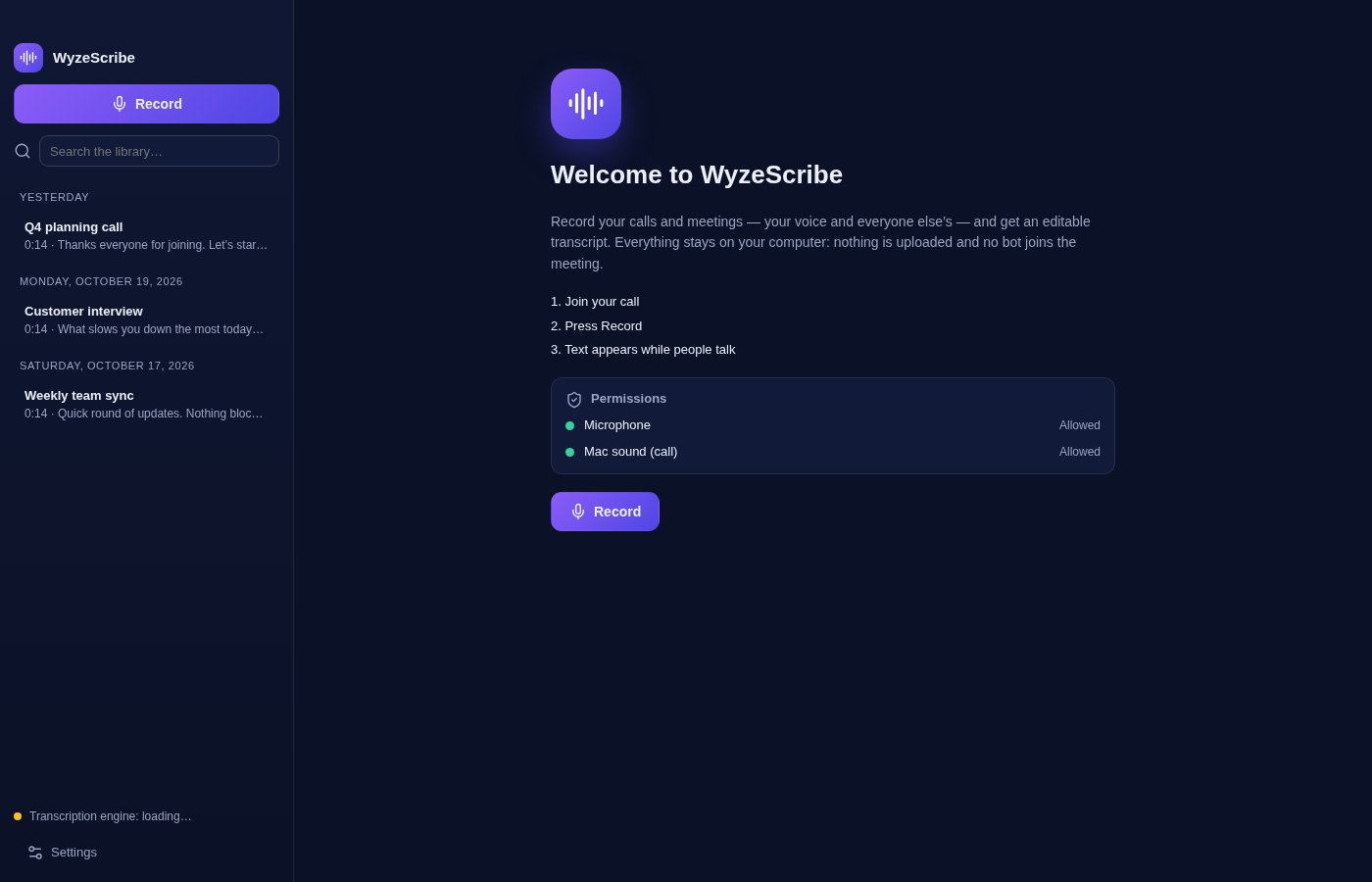
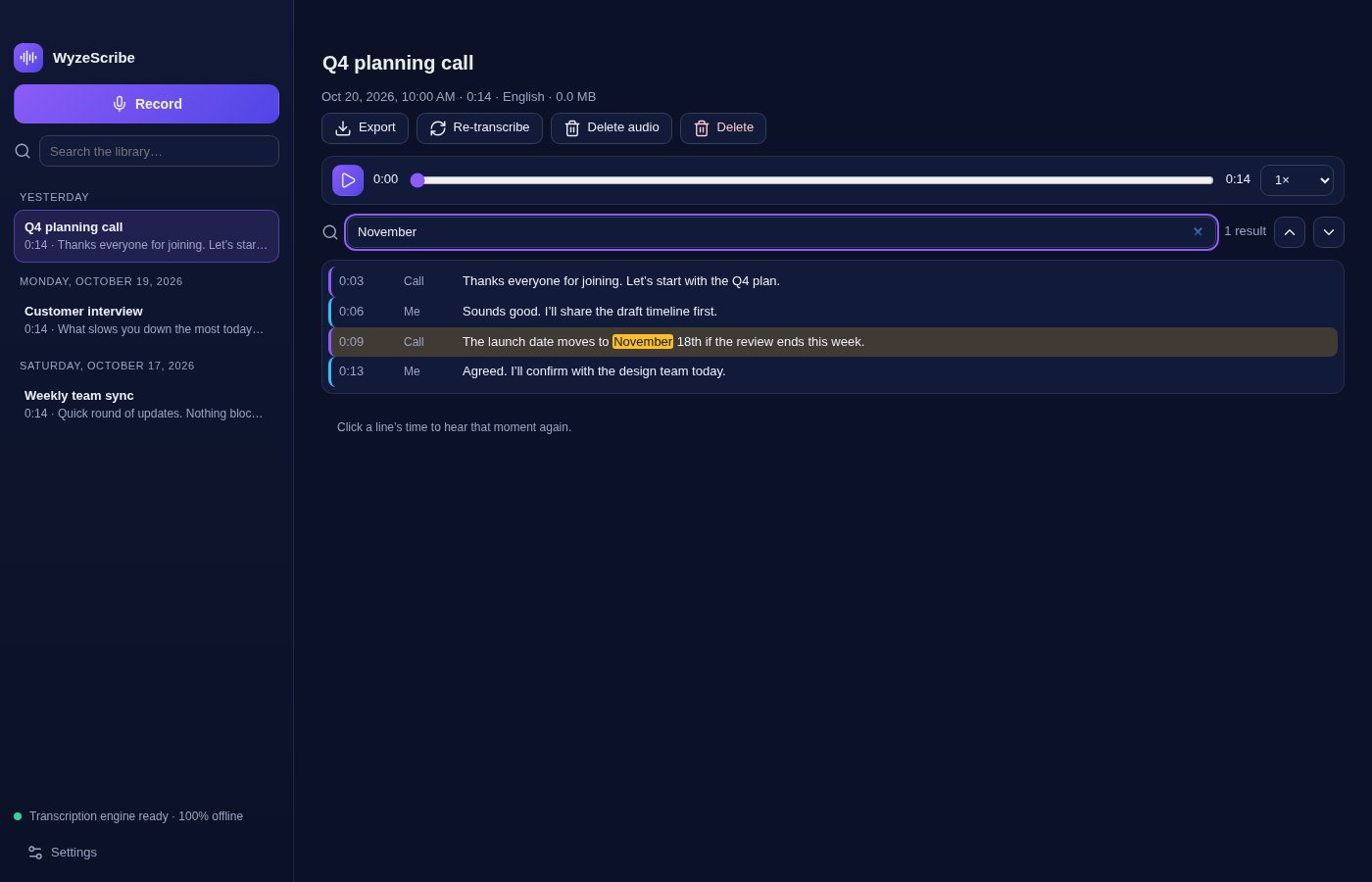
WyzeScribe records your calls and meetings (your voice and everyone else's) and turns them into text you can read, search, correct and export. Join your call, press Record, and the words appear while people talk.
The transcription engine is built into the app and runs on your Mac. Nothing is uploaded, no bot joins your meeting, and no account is needed. The screenshots show example recordings made up for this page, not real conversations.
What you get
- Both sides of the call — WyzeScribe captures the sound playing on your Mac together with your microphone, so you get what you say and what everyone else says. It works with whatever call app you use, because it records the computer's sound rather than joining the meeting.
- Text that appears while people talk — A live transcript builds as the conversation goes on, with each line tagged Me or Call and a timestamp.
- 100% local transcription — The speech model ships inside the app and runs on your Mac. It never connects to a server, and it works with the network off.
- Dozens of languages — Transcribes 99 languages with the built-in model. Pick the language of the call, set a default, or let the app detect it automatically.
- Microphone only, if you prefer — Choose to record just your microphone for dictation, notes to self or interviews in the room.
- Fix the text, replay the moment — Edit any line in place without losing its timing. Click a line's time to hear that exact moment again, with playback speed control.
- Search everything — Search inside a transcript and jump between matches, or search your whole library to find the call where something was said.
- Export in three formats — Save a transcript as plain text (.txt), Markdown (.md) or subtitles (.srt).
- Re-transcribe when you want — Run the transcription again on a saved recording, for instance after changing the language.
- You control what is kept — Each recording is saved on your Mac as an audio file plus its text. Delete only the audio to keep the text, or delete the whole recording. Deletion is permanent.
- Keeps working if something fails — The audio is saved before transcription starts, so a problem during transcription does not cost you the recording. Your Mac is also kept awake while you record. Available in English and French.
Perfect for
- Professionals who want accurate notes from client calls and meetings
- Journalists, researchers and students who interview people or attend lectures
- Anyone who needs searchable records of what was decided and who said it
- People who handle sensitive conversations and cannot send audio to a cloud service
Frequently asked questions
What is WyzeScribe?
WyzeScribe is a macOS app that records your calls and meetings and turns them into an editable transcript, entirely on your Mac.
Is WyzeScribe really free?
Yes. WyzeScribe is free for a limited time. Download it during that period and it is yours to keep, with no account and no subscription.
Does anything leave my computer?
No. The speech model is inside the app and the app is built to run with no network access to a transcription service. Your recordings and transcripts are stored on your Mac only. You are still responsible for how you share files you export.
Do I need to tell people I am recording?
Possibly, yes. Rules on recording conversations differ by country and region, and some require everyone's consent. WyzeScribe does not announce itself on the call, so telling participants is up to you.
Which permissions does it need, and why?
The microphone, to record your voice, and “Screen & System Audio Recording”, to capture the sound of the call. macOS asks at your first recording. If you refuse the second one, the app continues with the microphone only and tells you how to fix it in System Settings > Privacy & Security.
Does it work with Zoom, Teams, Meet and others?
It records the sound your Mac plays, so it does not depend on the call app. Open your call first, then press Record. We have not tested every call app, and sound that your call app does not play through your Mac cannot be captured.
Does it tell who is speaking?
It tells you and everyone else apart: lines are tagged Me (your microphone) or Call (the sound from your Mac). It does not tell individual participants on the call apart.
How accurate is it?
It uses a compact Whisper model so it can run on any Apple silicon Mac. Accuracy is good on clear speech and drops with background noise, strong accents, overlapping voices and technical terms, so review important passages. You can correct the text in place.
Which Macs are supported?
This build is for Macs with Apple silicon (M1 and later). Intel Macs are not supported.
macOS says the app cannot be opened. What do I do?
The app is not yet notarised by Apple, so macOS may block the first launch. Open System Settings > Privacy & Security, scroll to the message about the app and click Open Anyway. You only need to do this once.
More from Labwyze Apps
WyzePDFFree
The PDF editor for Mac that does it all: annotate, fix text, fill, sign and protect. Fully offline.

WyzeChessFree
Cinematic 3D chess: sculpted armies march, fight and fall on every capture. Play the computer or a friend.
WyzeTasksFree
Kanban boards for your Mac that work offline. Plan, drag, finish. No account, no cloud.

FrameDeckFree
Manage the art on all your Samsung The Frame TVs from your Mac. Upload, browse free museum art and rotate in a few clicks.
WyzePlanFree
Plan projects the way they really work: say what waits for what, and every date calculates itself.
WyzeSnapFree
Capture any part of your screen, mark it up and share it in seconds. Everything stays on your Mac.