
FrameDeck
Manage the art on all your Samsung The Frame TVs from your Mac. Upload, browse free museum art and rotate in a few clicks.
FREE No account, no subscription. This app is completely free.
Updated October 2026 · v1.0.0
Your download starts right away. Mac with Apple silicon · 114 MB
Demo & screenshots
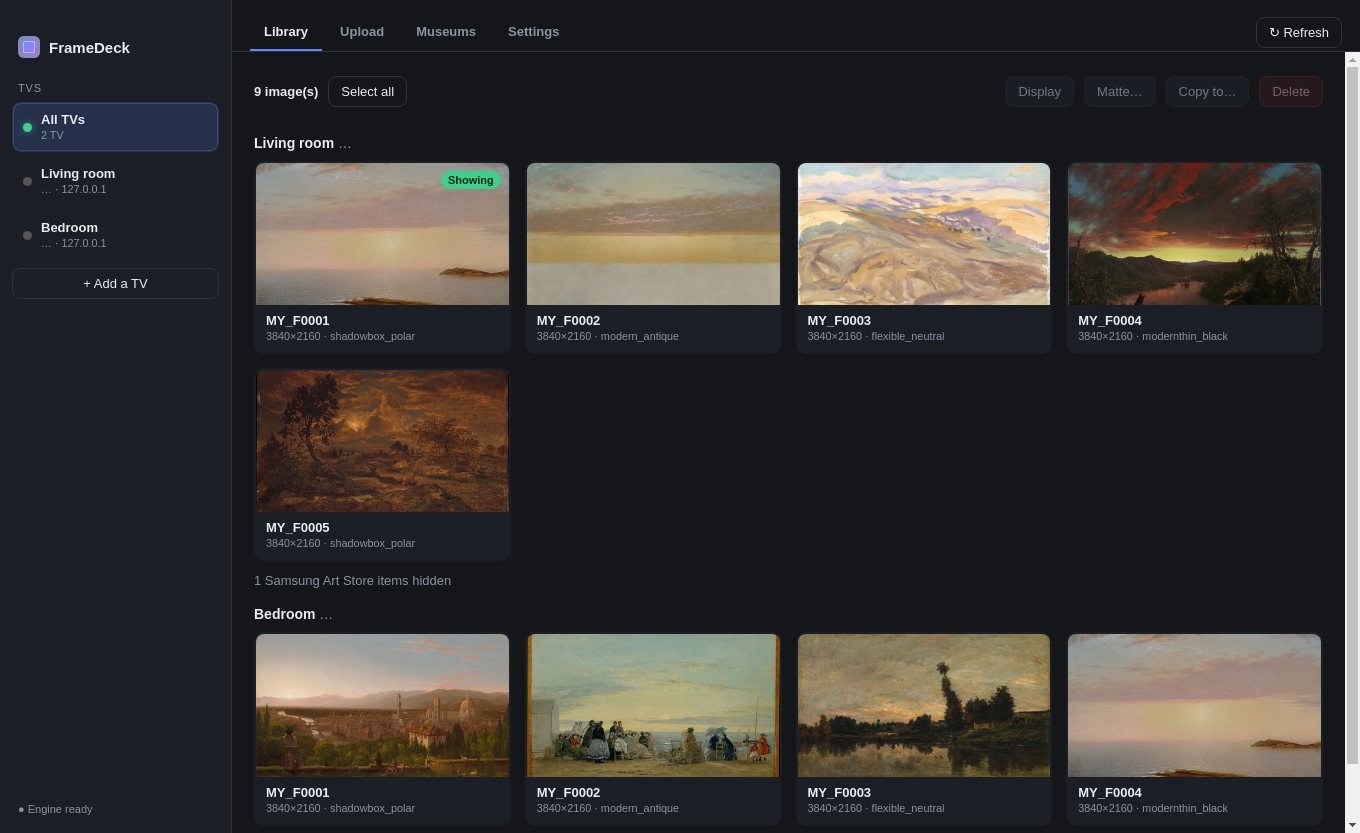
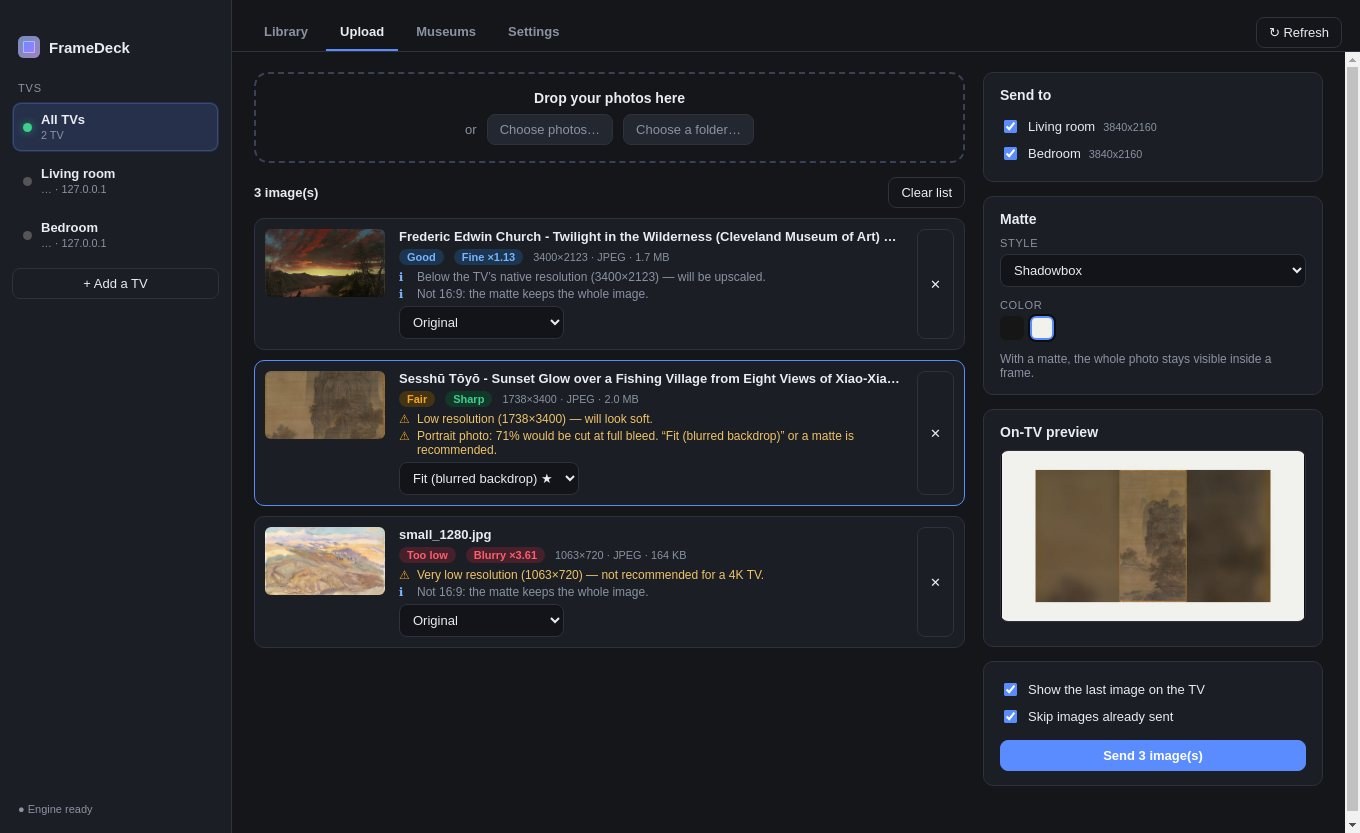
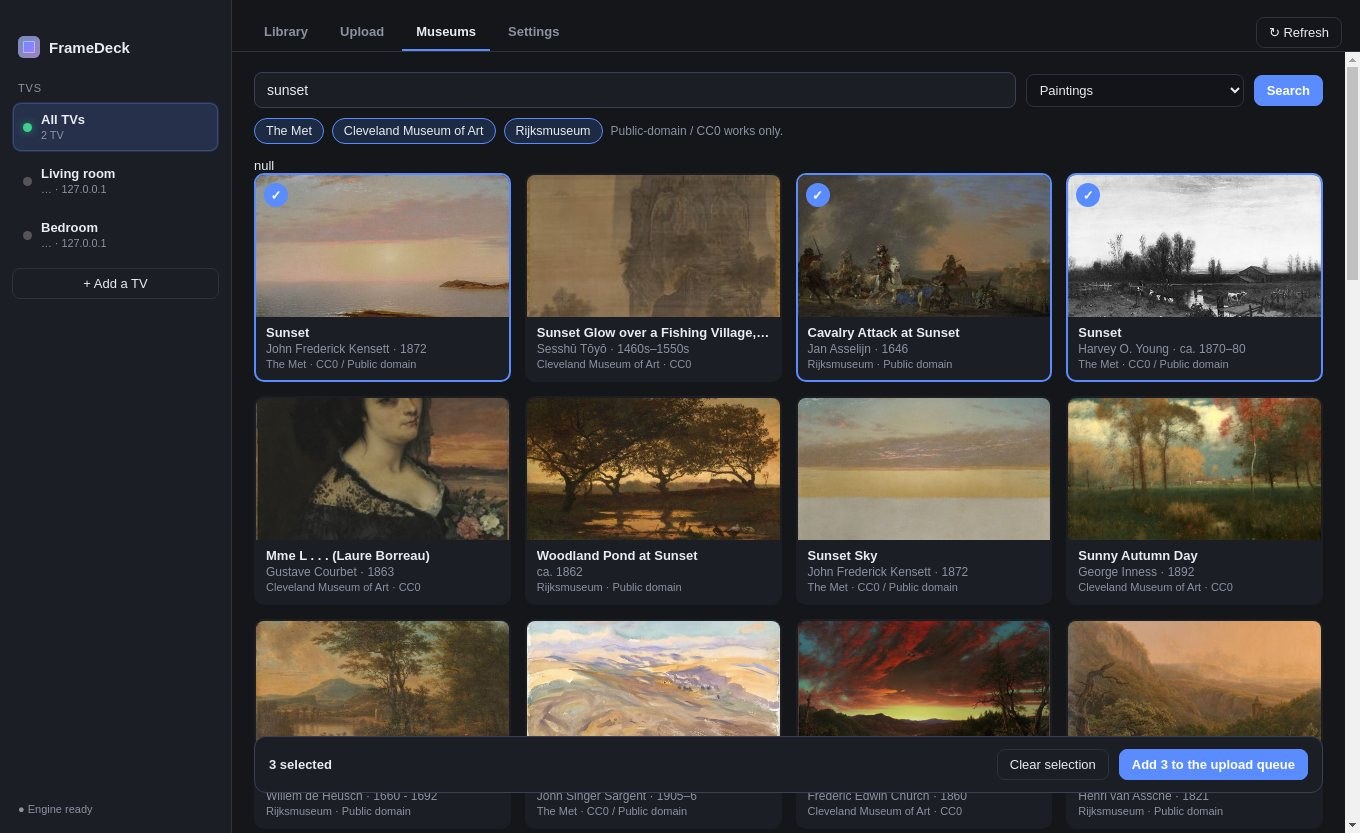
FrameDeck gives your Samsung The Frame TV the desktop tool it never had. Find your TVs on the network, pair them once, then drag in photos and see exactly how each one will look on the screen before you send it.
It talks directly to your TVs over your home network. No account, no cloud, and no photo ever leaves your local network.
What you get
- Find and pair your TVs — Scan the network or enter an IP address, then pair in one click. Manage several Frame TVs side by side, and wake a TV from standby.
- A real library for each TV — See every piece of art stored on a TV with true thumbnails. Select several at once, delete with confirmation, display one right now, or mark favourites.
- Free museum art, built in — Search the open collections of the Met, the Cleveland Museum of Art and the Rijksmuseum, tick what you like and send it to your TVs. Only public-domain and CC0 works are shown.
- Upload photos and whole folders — Drag and drop photos or folders onto one TV or several at once, with or without a matte in any style and colour the TV offers.
- A photo check before you send — FrameDeck compares each photo to the TV's resolution and grades its quality. It warns you about low resolution and about how much will be cropped.
- Choose how each photo fits — Original, Fill, Fit, or Fit with a blurred backdrop, with a simulated preview of the result on the TV.
- Smart handling of formats — HEIC, WebP and images with transparency are converted for you, and files are kept within the TV's size limit.
- No duplicates — Photos already on a TV are detected and skipped. Transient errors are retried, and you can cancel an upload at any time.
- Move art between TVs — Copy artwork from one TV to another, and change the matte on photos already uploaded.
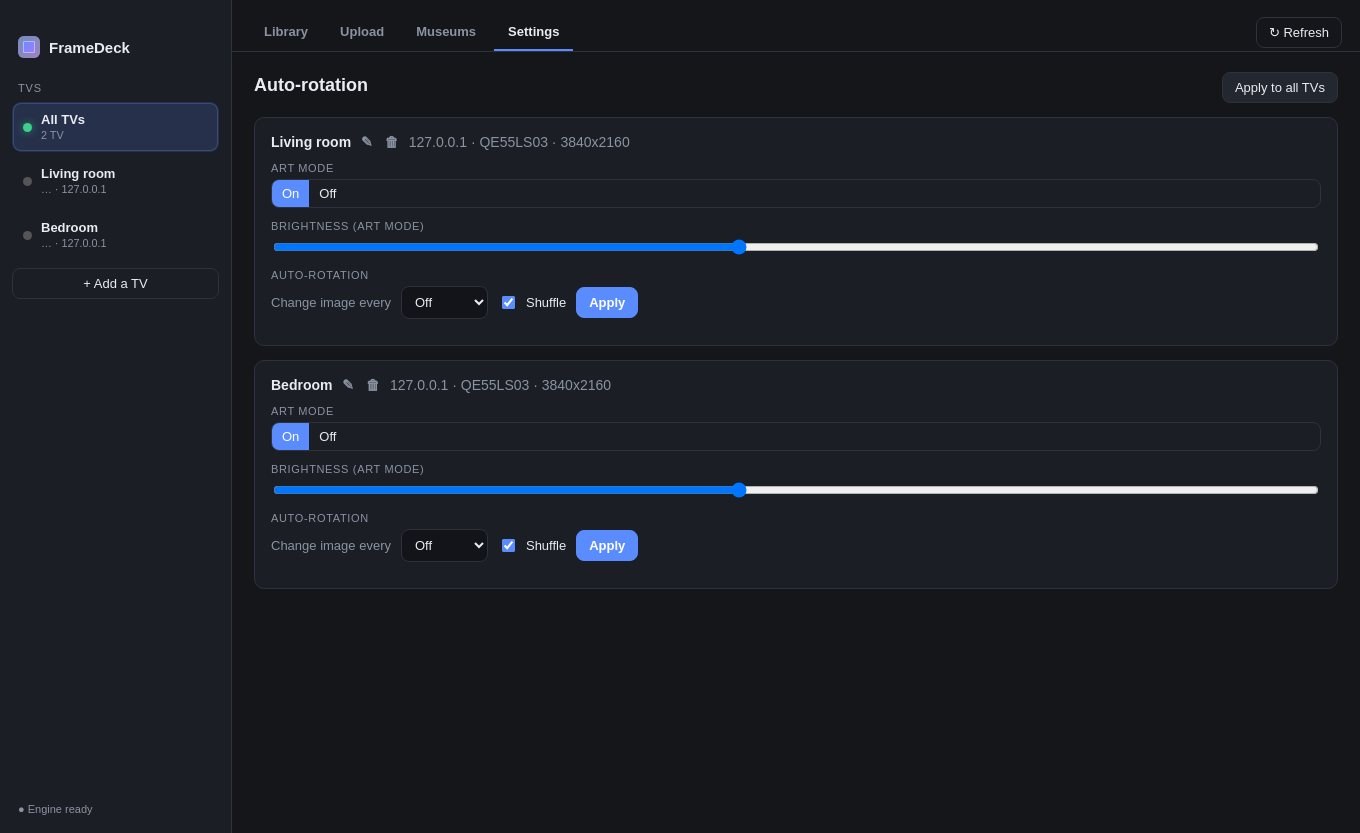
- Automatic rotation — Set the interval and shuffle on one TV or all of them at once. Turn Art Mode on or off and adjust the brightness.
- In English and French — The interface follows your Mac's language.
Perfect for
- Owners of a Samsung The Frame who want to curate their art from a computer
- Art lovers who want museum masterpieces on their wall without paying for a subscription
- Photographers and artists who want to show their own work at home
- Households with several Frame TVs to keep in sync
- Anyone tired of managing art from a phone, one photo at a time
Credits
FrameDeck is an independent app by Labwyze. It is not affiliated with, endorsed by or sponsored by Samsung. Samsung and The Frame are trademarks of Samsung Electronics. The app uses the open-source samsungtvws library to talk to the TV. The artworks in the screenshots are public-domain paintings from the Met and the Cleveland Museum of Art, shown on two simulated Frame TVs.
Frequently asked questions
What is FrameDeck?
FrameDeck is a Mac app that manages the art stored on Samsung The Frame TVs: browse, upload, delete, organise and rotate, from your computer instead of the TV or a phone.
Is FrameDeck really free?
Yes. FrameDeck is free for a limited time. Download it during that period and it is yours to keep, with no account and no subscription.
Is it affiliated with Samsung?
No. FrameDeck is an independent app made by Labwyze. It is not made, endorsed or supported by Samsung.
Which TVs does it work with?
Samsung The Frame TVs that are on the same network as your Mac. Behaviour can vary between models and software versions, because Samsung does not publish an official interface for it.
Where do my photos go?
Directly from your Mac to your TV over your home network. Nothing is sent to the internet and there is no account.
The TV asks me to allow the connection. What do I do?
On the first pairing the TV shows a prompt: accept it with the remote. If it does not appear, open the TV's Settings > General > External Device Manager > Device Connection Manager and set Access Notification to First Access Only or Always. macOS will also ask you to allow Local Network access: allow it.
Which Macs are supported?
This build is for Macs with Apple silicon (M1 and later). Intel Macs are not supported.
macOS says the app cannot be opened. What do I do?
The app is not yet notarised by Apple, so macOS may block the first launch. Open System Settings > Privacy & Security, scroll to the message about the app and click Open Anyway. You only need to do this once.
More from Labwyze Apps

WyzePDFFree
The PDF editor for Mac that does it all: annotate, fix text, fill, sign and protect. Fully offline.

WyzeChessFree
Cinematic 3D chess: sculpted armies march, fight and fall on every capture. Play the computer or a friend.

WyzeTasksFree
Kanban boards for your Mac that work offline. Plan, drag, finish. No account, no cloud.

WyzePlanFree
Plan projects the way they really work: say what waits for what, and every date calculates itself.

WyzeSnapFree
Capture any part of your screen, mark it up and share it in seconds. Everything stays on your Mac.

WyzeScribeFree
Record your calls and meetings, both sides, and get an editable transcript made on your own Mac. No bot, no upload.