

WyzePlan
Plan projects the way they really work: say what waits for what, and every date calculates itself.
FREE No account, no subscription. This app is completely free.
Updated October 2026 · v1.0.0
Your download starts right away. Mac with Apple silicon · 112 MB
Demo & screenshots
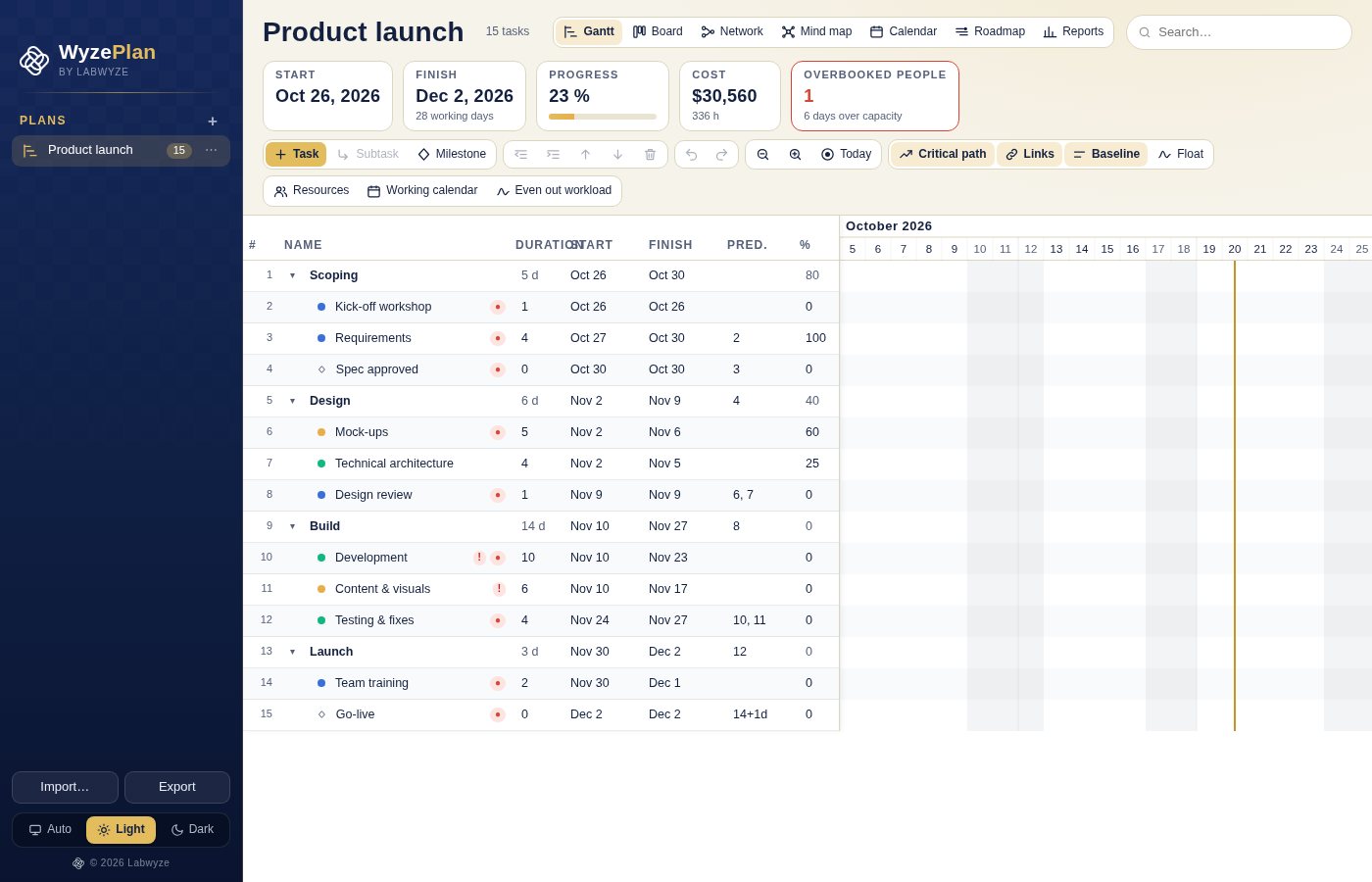
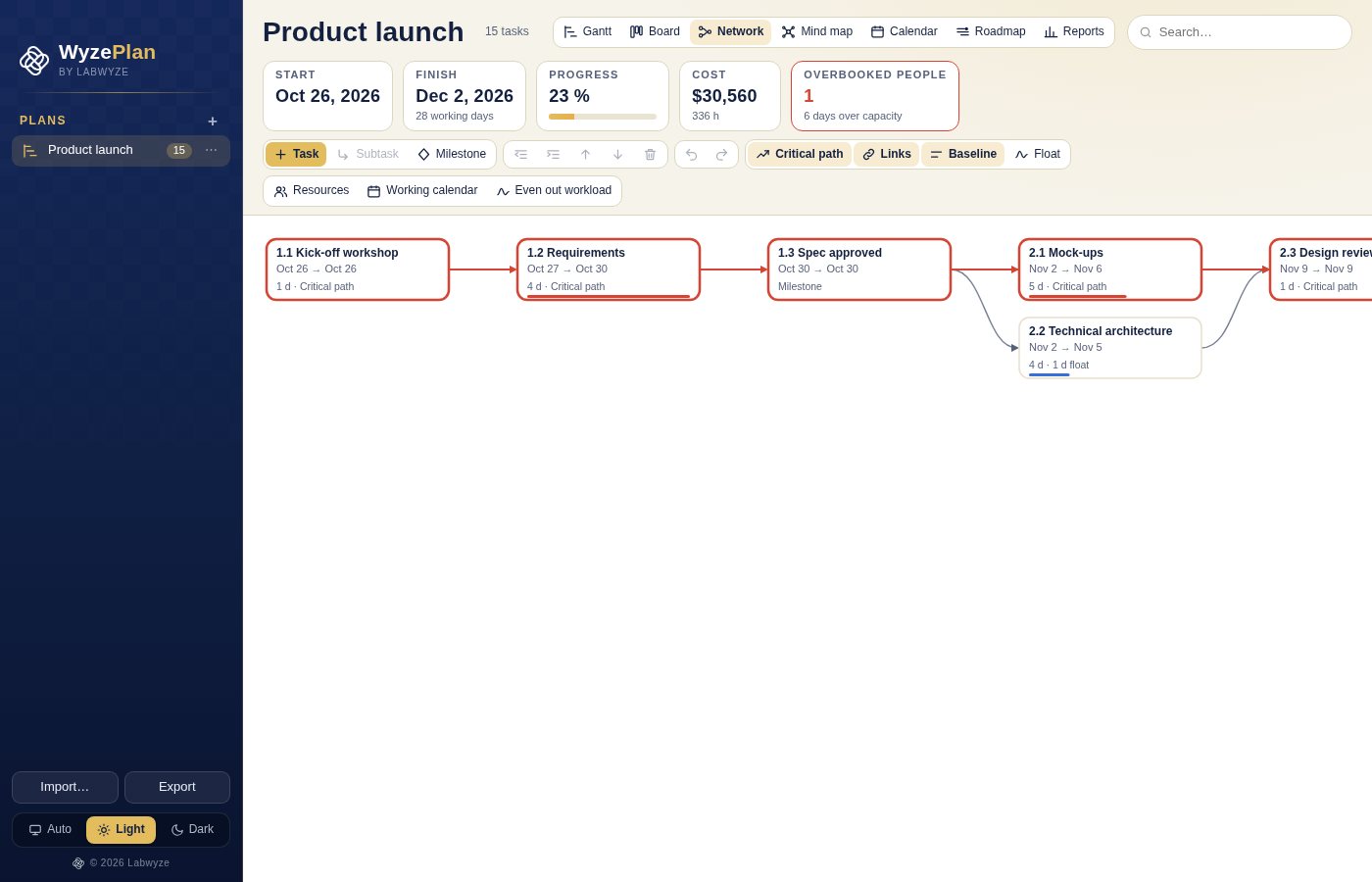
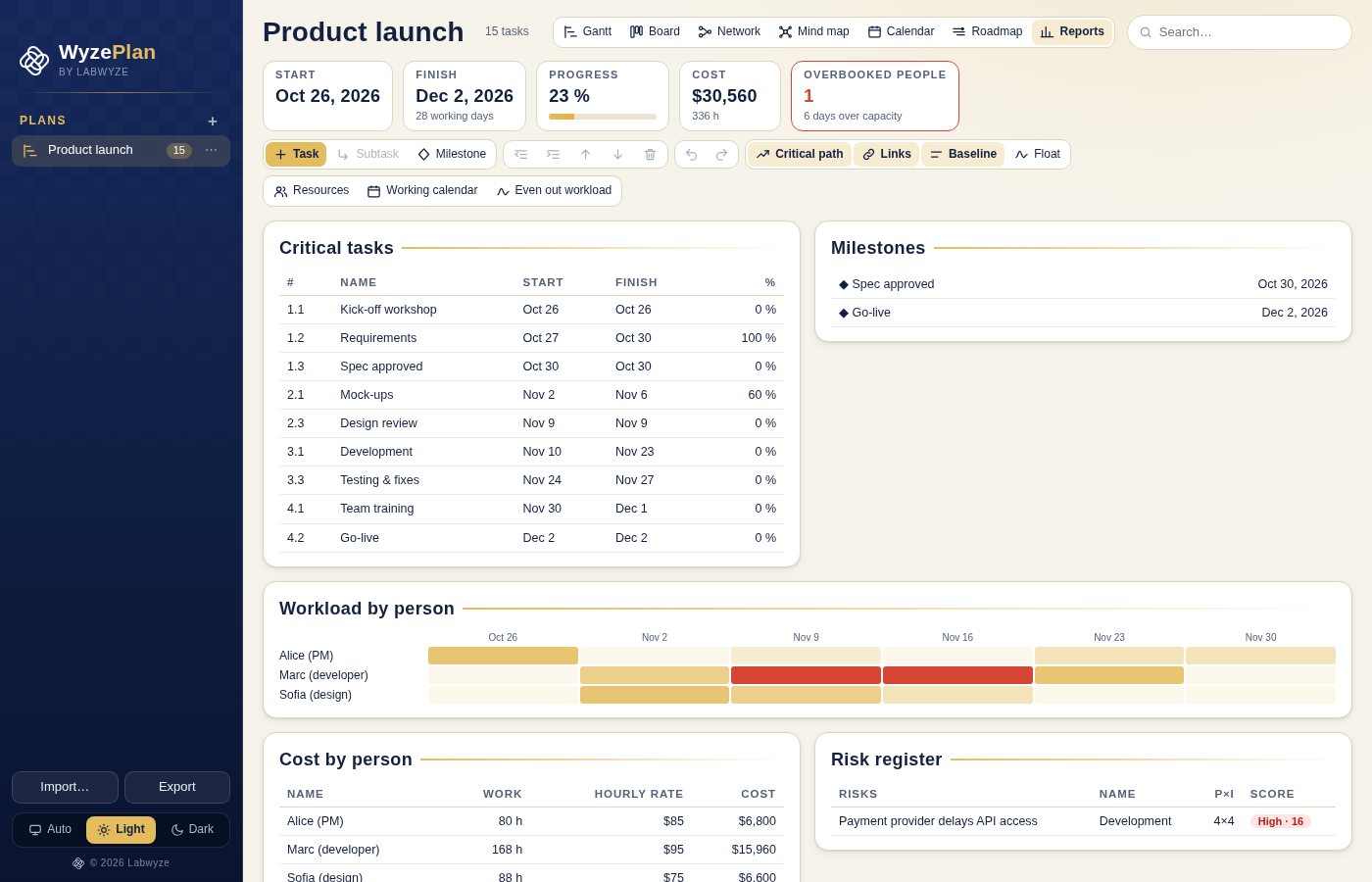
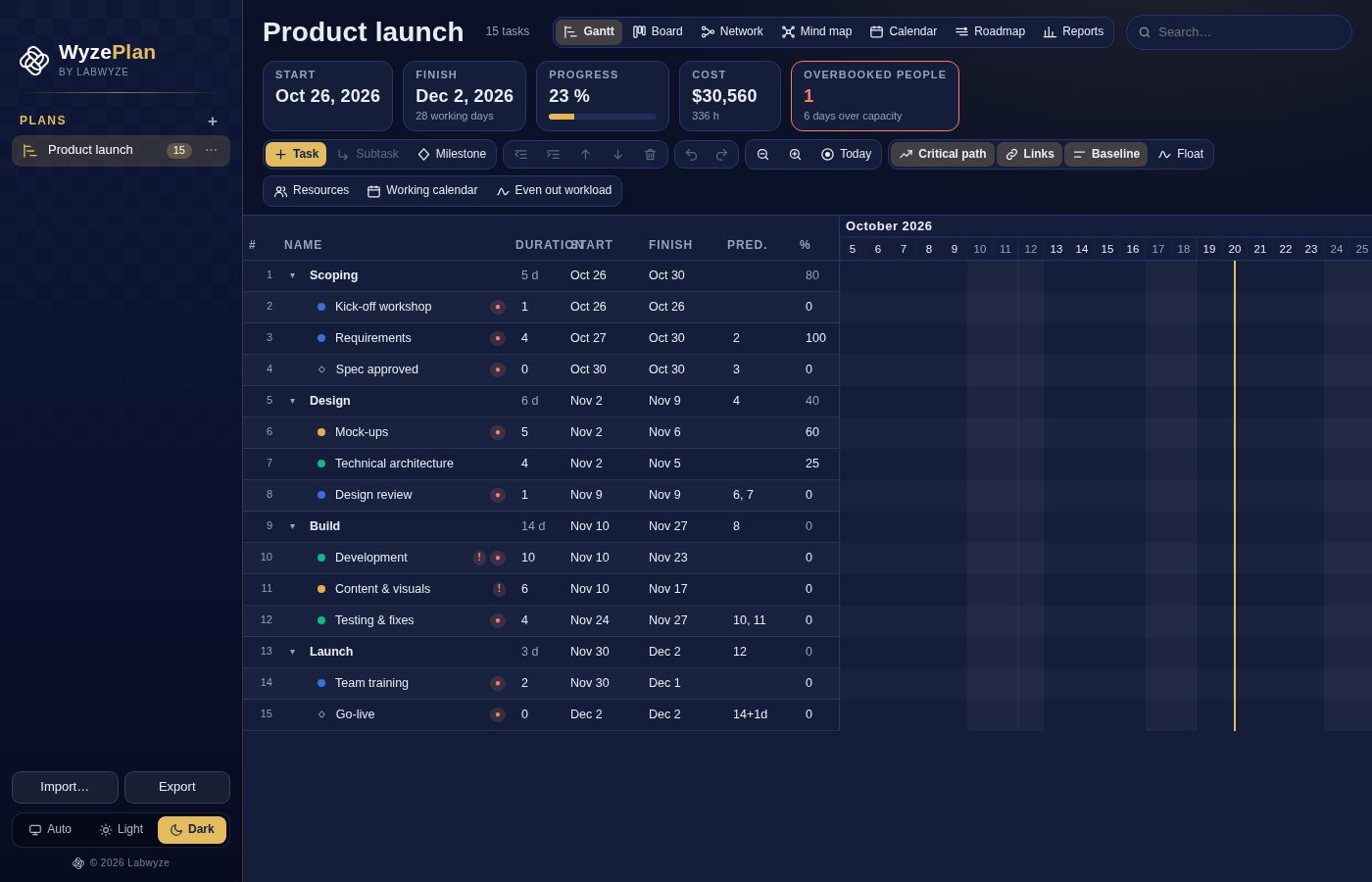
WyzePlan is a project planner for your Mac built around one idea: tell it how long each task takes and which tasks depend on which, and it works out every date for you. Move one task, and everything after it follows, skipping weekends and holidays.
It brings the power of the big project-management tools to a light, fast app that runs on your own computer. No account, no subscription, no cloud: your plans stay with you.
What you get
- Dates that calculate themselves — Enter durations and dependencies and WyzePlan schedules everything. Lengthen a task from 3 to 5 days and the next one moves to the other side of the weekend.
- All four link types — Finish-to-start, start-to-start, finish-to-finish and start-to-finish, with delays or overlaps. Several predecessors are handled, and circular links are refused.
- A real working calendar — Weekends are skipped, half days count as half days, and you can add Quebec or Canada public holidays in one click, or your own.
- Critical path and float — See at a glance which tasks decide the end date and how much slack the others have.
- Seven ways to see your plan — Gantt, Board, Network, Mind map, Calendar, Roadmap and Reports, all from the same data.
- Phases and subtasks — Organise work in phases that roll up dates, duration and progress from their subtasks. Indent, outdent and reorder with a keystroke.
- Drag to plan — Drag a bar to move it, pull its edge to change the duration, or drag from the handle to another bar to link them.
- People, cost and workload — Assign people at any percentage, set hourly rates and track cost. WyzePlan flags overbooked people and can even out the workload for you, and you can undo it.
- Baseline and earned value — Save the agreed plan, then measure delay and cost variance against it, with earned value and schedule index.
- Risks and issues — Keep a risk register scored by likelihood and impact, with a planned response, and track open issues on each task.
- Import and export — Save a full .wyzeplan file, or exchange plans as CSV, MS Project XML, iCalendar (.ics) or PDF.
- Automatic backups and undo — A dated backup is made every time you open the app, and every change can be undone and redone. Light, dark or automatic theme, in English and French.
Perfect for
- Project managers and consultants who need real scheduling without a heavy tool
- Freelancers and small teams planning a launch, a build or an event
- Anyone moving from spreadsheets to a plan where dates update by themselves
- People who want to keep their plans private on their own computer
Frequently asked questions
What is WyzePlan?
WyzePlan is a project planner for macOS. You list tasks with their durations and dependencies, and it calculates the schedule, the critical path, the cost and the workload.
Is WyzePlan really free?
Yes. WyzePlan is free for a limited time. Download it during that period and it is yours to keep, with no account and no subscription.
Can I open my Microsoft Project files?
It exchanges plans through the MS Project XML format: export from Project as XML and import it, or export from WyzePlan. Native .mpp files are not supported.
Does it work offline? Where is my data?
It works fully offline and your plans are stored on your Mac only. A dated backup is made each time you open the app, and the ten most recent are kept.
Can several people work on the same plan?
Not in this version. WyzePlan is a single-computer app. You can share a plan by exporting a .wyzeplan, CSV, XML or PDF file.
How do public holidays work?
Add the holidays for Quebec or Canada in one click, or enter your own. Tasks skip those days, and half days count as half.
Which Macs are supported?
This build is for Macs with Apple silicon (M1 and later). Intel Macs are not supported.
macOS says the app cannot be opened. What do I do?
The app is not yet notarised by Apple, so macOS may block the first launch. Open System Settings > Privacy & Security, scroll to the message about the app and click Open Anyway. You only need to do this once.
More from Labwyze Apps
WyzePDFFree
The PDF editor for Mac that does it all: annotate, fix text, fill, sign and protect. Fully offline.

WyzeChessFree
Cinematic 3D chess: sculpted armies march, fight and fall on every capture. Play the computer or a friend.
WyzeTasksFree
Kanban boards for your Mac that work offline. Plan, drag, finish. No account, no cloud.

FrameDeckFree
Manage the art on all your Samsung The Frame TVs from your Mac. Upload, browse free museum art and rotate in a few clicks.

WyzeSnapFree
Capture any part of your screen, mark it up and share it in seconds. Everything stays on your Mac.
WyzeScribeFree
Record your calls and meetings, both sides, and get an editable transcript made on your own Mac. No bot, no upload.