
WyzeTasks
Kanban boards for your Mac that work offline. Plan, drag, finish. No account, no cloud.
FREE No account, no subscription. This app is completely free.
Updated October 2026 · v1.0.0
Your download starts right away. Mac with Apple silicon · 112 MB
Demo & screenshots
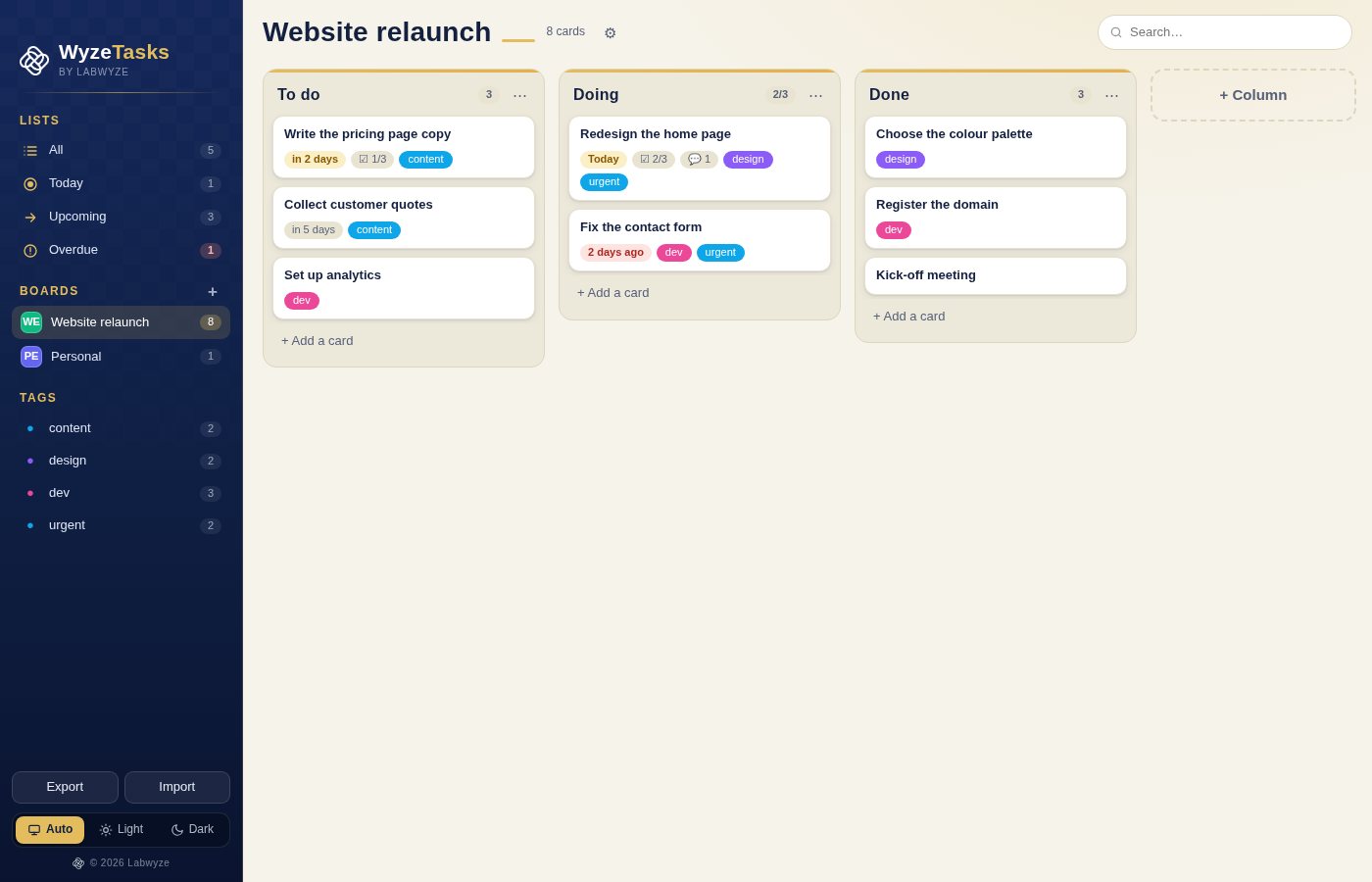
WyzeTasks is a clean, fast kanban app for your Mac. Create a board, split it into columns, and move your work from idea to done with a simple drag. It is built for people who want to see where everything stands, without learning a project-management tool.
Everything is stored on your own computer. There is no account, no sync service and no internet connection involved, so your plans stay private and the app opens instantly, anywhere.
What you get
- Unlimited boards and columns — Create as many boards as you need, each with its own colour. Add, rename and reorder columns, and reorder the boards themselves by dragging.
- Drag and drop, or use the keyboard — Move cards between columns with the mouse, or select a card and use the arrow keys to move it up, down, left or right.
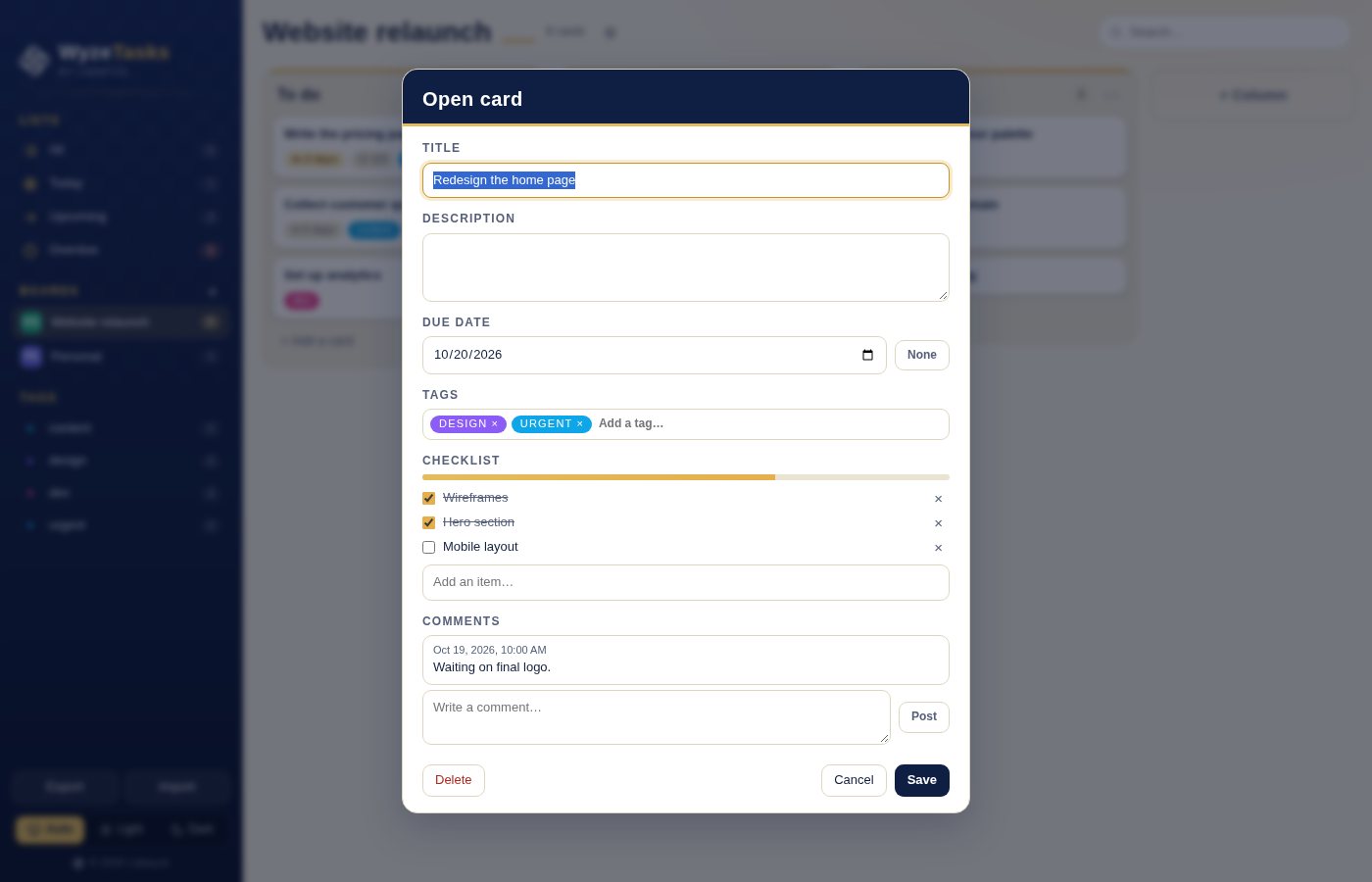
- Rich cards — Each card has a title, a description, a due date, tags, a checklist with a progress bar and a comment thread.
- Due dates that tell you what matters — Cards show Today, Tomorrow, in 3 days or 10 days ago, and turn urgent when they are close or overdue.
- Smart lists — Jump to Today, Upcoming, Overdue or All, across every board, sorted by date.
- Instant search — Find cards by title, notes, tag, due date, column or board. Accents and case do not matter.
- Tags and filters — Colour-coded tags with counts in the sidebar. Click a tag to see every matching card, across all boards.
- Card limits per column — Set a work-in-progress limit on a column and WyzeTasks warns you when you go over it.
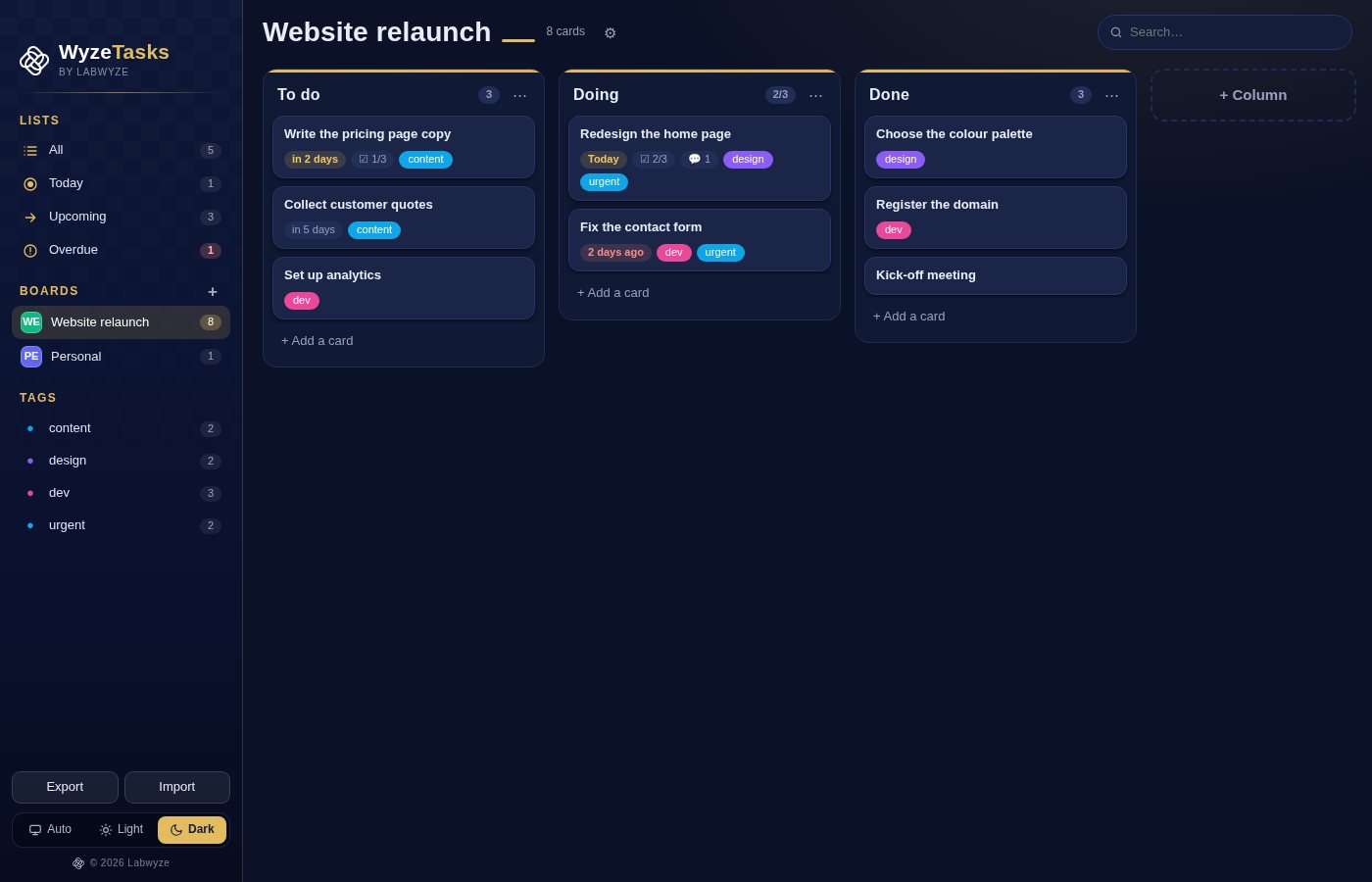
- Light, dark or automatic — Follows your Mac's appearance, or pick light or dark yourself.
- Backup and restore — Export all your boards to a single .wyzetasks file and import them back on any Mac. Invalid files are refused before they touch your data.
- In English and French — The interface follows your Mac's language.
Perfect for
- Freelancers and small teams who want a simple view of their work
- Anyone planning a project, a move, a launch or a studying schedule
- People who do not want yet another account or subscription
- Privacy-minded users who prefer to keep plans on their own computer
Frequently asked questions
What is WyzeTasks?
WyzeTasks is a kanban app for macOS. You organise your work in boards and columns, and move cards from one column to the next as they progress.
Is WyzeTasks really free?
Yes. WyzeTasks is free for a limited time. Download it during that period and it is yours to keep, with no account and no subscription.
Where is my data stored?
On your Mac only, in a single file. The app makes no network connection and nothing is uploaded.
Can I sync between two Macs or share a board?
Not in this version. WyzeTasks is a single-computer app. You can export your boards to a .wyzetasks file and import it on another Mac, but there is no live sync or shared editing.
How do I back up my boards?
Use Export in the sidebar to save everything to a .wyzetasks file. Use Import to restore it. Importing replaces what is currently in the app.
Which Macs are supported?
This build is for Macs with Apple silicon (M1 and later). Intel Macs are not supported.
macOS says the app cannot be opened. What do I do?
The app is not yet notarised by Apple, so macOS may block the first launch. Open System Settings > Privacy & Security, scroll to the message about the app and click Open Anyway. You only need to do this once.
More from Labwyze Apps
WyzePDFFree
The PDF editor for Mac that does it all: annotate, fix text, fill, sign and protect. Fully offline.

WyzeChessFree
Cinematic 3D chess: sculpted armies march, fight and fall on every capture. Play the computer or a friend.

FrameDeckFree
Manage the art on all your Samsung The Frame TVs from your Mac. Upload, browse free museum art and rotate in a few clicks.
WyzePlanFree
Plan projects the way they really work: say what waits for what, and every date calculates itself.
WyzeSnapFree
Capture any part of your screen, mark it up and share it in seconds. Everything stays on your Mac.
WyzeScribeFree
Record your calls and meetings, both sides, and get an editable transcript made on your own Mac. No bot, no upload.