
WyzePDF
The PDF editor for Mac that does it all: annotate, fix text, fill, sign and protect. Fully offline.
FREE No account, no subscription. This app is completely free.
Updated October 2026 · v1.0.0
Your download starts right away. Mac with Apple silicon · 115 MB
Demo & screenshots
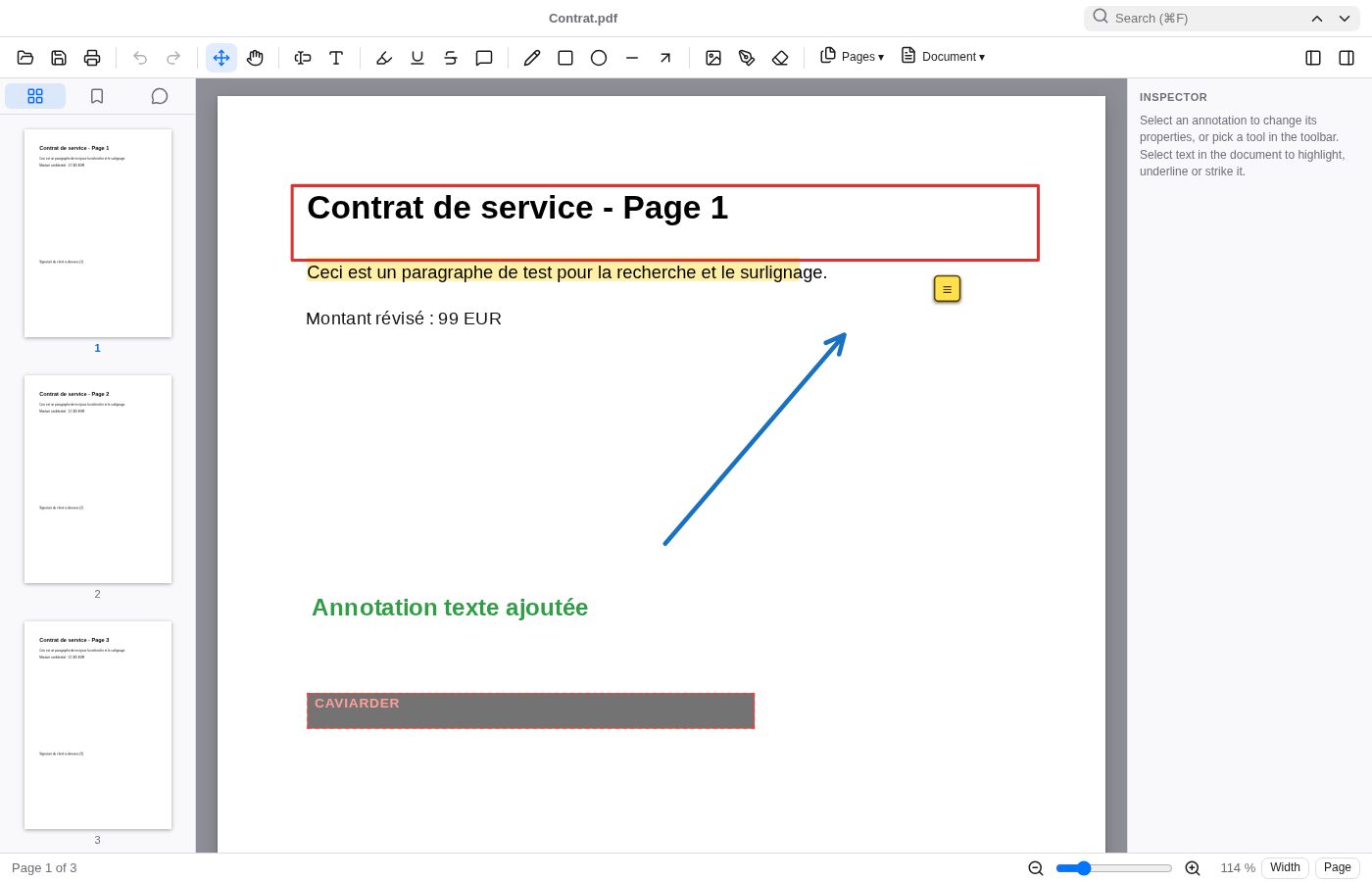
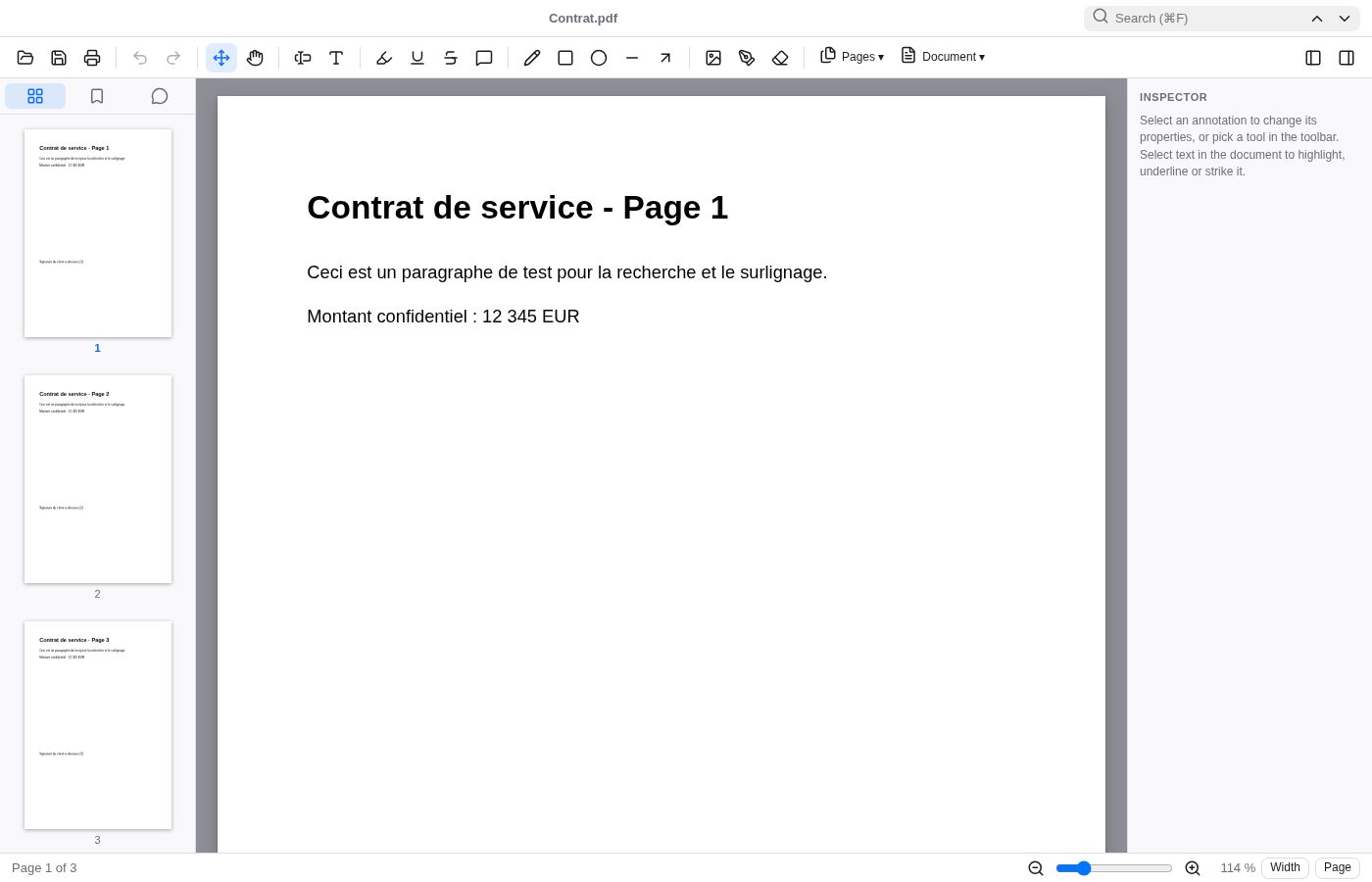
WyzePDF is a fast, native-feeling PDF editor for your Mac. Open a contract, a form or a scanned-looking report, and do what you actually need to do: highlight, correct a typo, drop in a signature, black out a figure, then save. Nothing more to learn, nothing to subscribe to.
Everything happens on your own computer. No account, no upload, no cloud: your documents never leave your Mac, which is exactly what you want for contracts, invoices and anything confidential.
What you get
- Read comfortably — Smooth zoom with pinch or ⌘ +/−, fit to width or page, thumbnails, bookmarks, full-text search, working links and a light or dark theme.
- Annotate like on paper — Highlight, underline and strike through with native annotations that show up in Preview and Acrobat. Add notes, free text, shapes, arrows, freehand drawing and images.
- Fix text right in the page — Click an existing line of text to replace it. Size, font, colour and background are detected for you, so the fix blends in.
- Fill forms in seconds — Complete text fields, checkboxes, radio buttons and drop-down lists, then save a clean, flattened copy.
- Sign without printing — Draw your signature, type it in a handwriting font or import an image. Your signatures are remembered for next time.
- Reorganise your pages — Rotate, delete, duplicate and drag pages into a new order. Insert blank pages or pages from another PDF, extract, split and crop.
- Build and brand documents — Merge PDFs, turn images into a PDF, add headers, footers, page numbers, watermarks and edit the document metadata.
- Protect what matters — AES-256 encryption, passwords and permissions, opening of protected files, and permanent redaction that truly removes what you black out.
- Export anywhere — Save text as .txt, export pages as PNG or JPEG, or print straight from the app.
Perfect for
- Professionals who sign, fill and send documents every day
- Freelancers and small businesses handling contracts and invoices
- Students and researchers who mark up papers and reports
- Anyone who wants a PDF editor with no subscription and no upload
Frequently asked questions
What is WyzePDF?
WyzePDF is a PDF editor for macOS. It lets you read, annotate, edit text, fill forms, sign, reorganise pages, protect and redact PDF files, all offline.
Is WyzePDF really free?
Yes. WyzePDF is free for a limited time. Download it during that period and it is yours to keep, with no account and no subscription.
Does it work offline? Where do my files go?
It works fully offline and nothing is sent anywhere. Your documents stay on your Mac.
Can I edit text like in Acrobat?
You can click existing text to replace it: the original is covered with the background colour and your new text is written on top, like a correction pen. It is not a full paragraph reflow. To truly destroy text, use Redact.
What does redaction do to the page?
Redaction is permanent. The affected pages are converted to images so the hidden content cannot be recovered. The trade-off is that the text on those pages is no longer selectable.
What is not included?
There is no OCR, no certificate-based digital signature, no file comparison and no PDF/A export. XFA forms are not supported.
Which Macs are supported?
This build is for Macs with Apple silicon (M1 and later). Intel Macs are not supported.
macOS says the app cannot be opened. What do I do?
The app is not yet notarised by Apple, so macOS may block the first launch. Open System Settings > Privacy & Security, scroll to the message about the app and click Open Anyway. You only need to do this once.
More from Labwyze Apps

WyzeChessFree
Cinematic 3D chess: sculpted armies march, fight and fall on every capture. Play the computer or a friend.
WyzeTasksFree
Kanban boards for your Mac that work offline. Plan, drag, finish. No account, no cloud.
FrameDeckFree
Manage the art on all your Samsung The Frame TVs from your Mac. Upload, browse free museum art and rotate in a few clicks.
WyzePlanFree
Plan projects the way they really work: say what waits for what, and every date calculates itself.
WyzeSnapFree
Capture any part of your screen, mark it up and share it in seconds. Everything stays on your Mac.
WyzeScribeFree
Record your calls and meetings, both sides, and get an editable transcript made on your own Mac. No bot, no upload.