
WyzeSolid
Open, measure and edit 3D CAD files on your Mac. STEP, IGES, BREP and STL, with nothing sent online.
FREE No account, no subscription. This app is completely free.
Updated October 2026 · v1.0.0
Your download starts right away. Mac with Apple silicon · 122 MB
Demo & screenshots
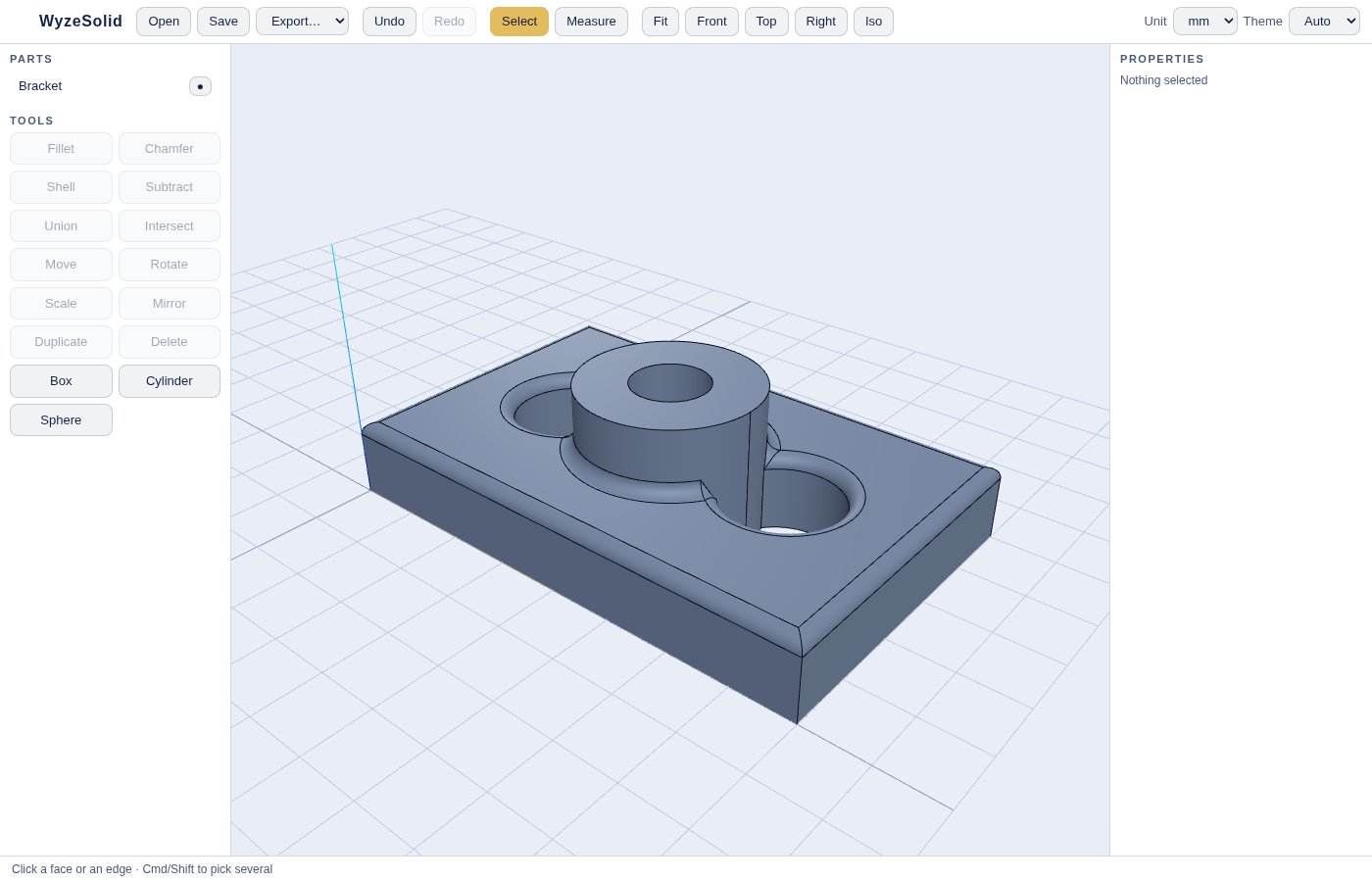
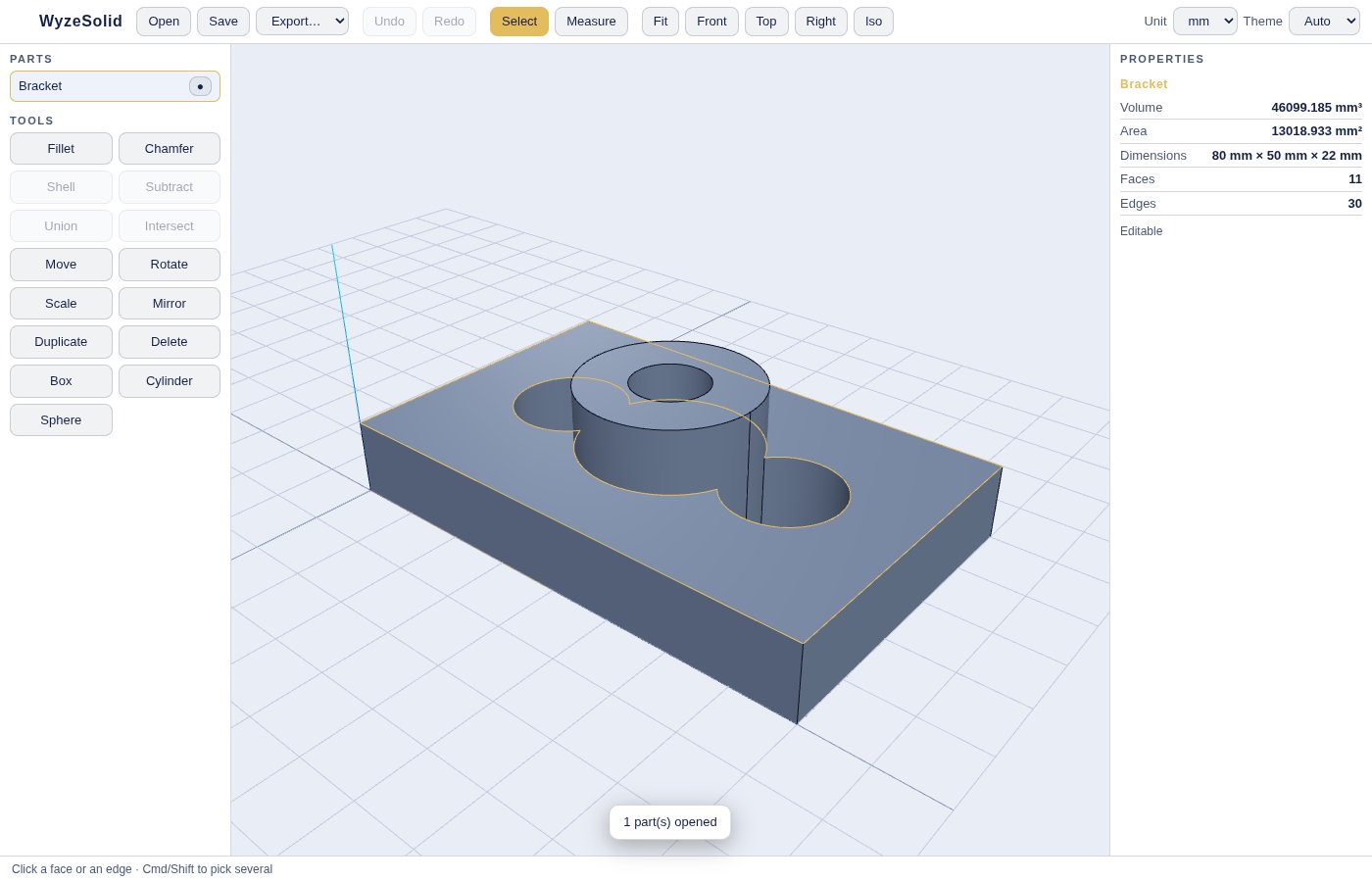
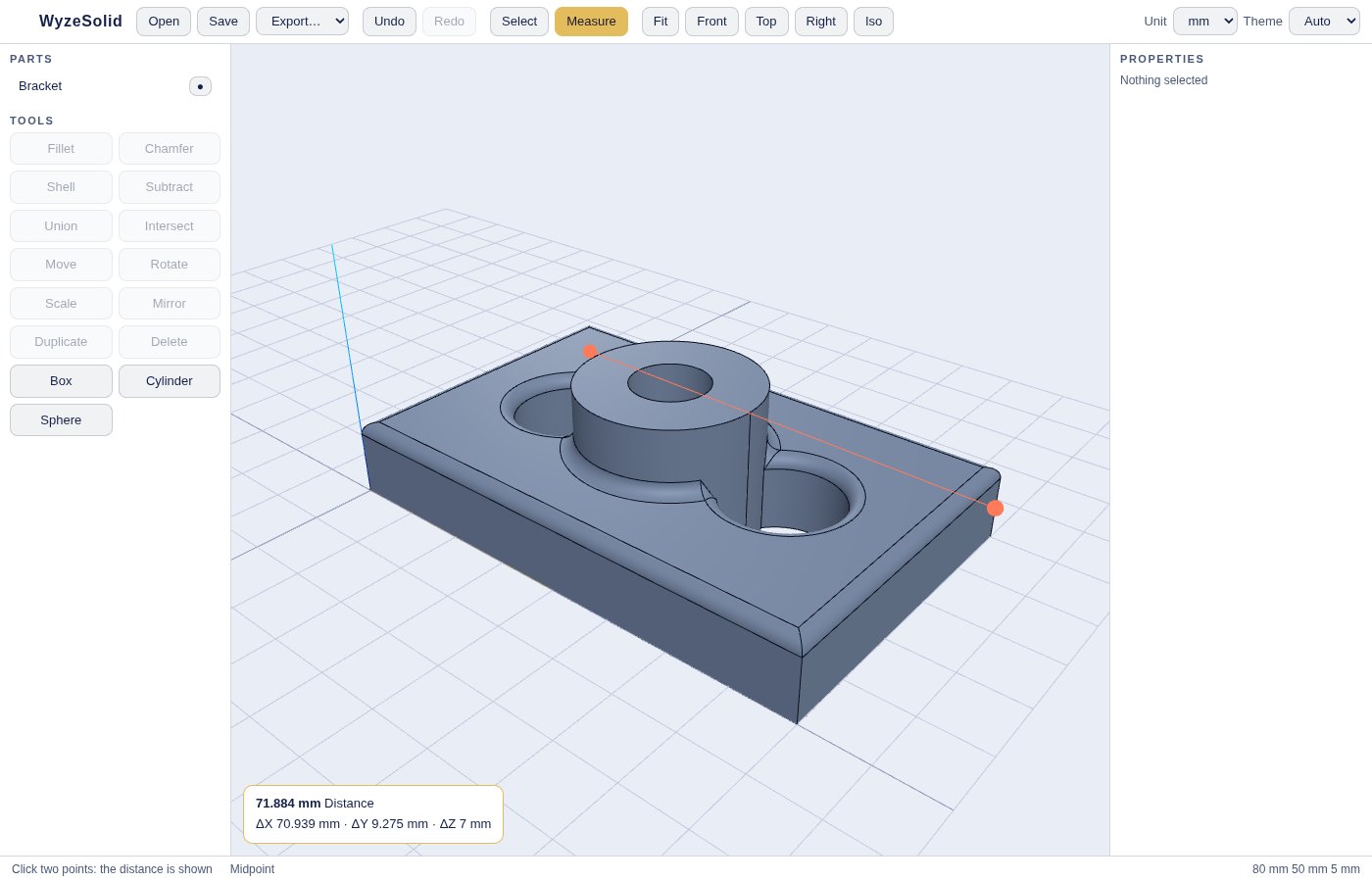
WyzeSolid is a viewer and light editor for 3D CAD files. Open a STEP, IGES, BREP or STL model, turn it around, measure it, and for STEP files go further: round edges, hollow out a part, combine or subtract solids, move, rotate, scale and mirror, then export.
It is built on the open-source Open CASCADE geometry kernel and runs entirely on your Mac. Your models are never uploaded and no account is needed. It is a focused tool for quick checks and simple edits, not a full replacement for a professional CAD suite, and the page says where it stops.
What you get
- Opens the common CAD formats — STEP (.step, .stp), IGES (.igs, .iges), BREP (.brep) and STL. Drop a file in the window or double-click it in Finder. A STEP file with several solids opens as several parts.
- Real solid modelling — STEP files stay editable: the app works on true solids, not just on a mesh, so edits stay precise.
- Fillet and chamfer — Pick one or several edges, enter a radius, and round or bevel them. Undo brings the part back.
- Shell a part — Choose the faces to open and a wall thickness to hollow a solid out.
- Combine solids — Select two parts and use Union, Subtract or Intersect to build a new shape from them.
- Move, rotate, scale, mirror — Place a part by typing exact values, rotate it around an axis, scale it, or mirror it across a plane. Duplicate or delete parts.
- Basic shapes to start from — Add a box, cylinder or sphere and combine them. Try the built-in sample part if you only want to look around.
- Measure with snapping — Click two points to read the distance and its X, Y and Z components. Points snap to vertices, midpoints, centres and surfaces.
- Properties at a glance — See the volume, surface area and overall dimensions of a part, the length of a chosen edge, and the angle between two faces, in millimetres, centimetres, metres or inches.
- Undo, save projects, export — Undo and redo every edit. Save your work as a WyzeSolid project, or export to STEP, STL, OBJ or PLY. Light and dark themes, in English and French.
Perfect for
- Makers and 3D printing fans who need to check or tweak a downloaded part
- Engineers and students who want to look at and measure a STEP file without a heavy CAD suite
- Anyone who receives CAD files from suppliers and just needs to open them
- People who cannot upload confidential models to an online viewer
Frequently asked questions
What is WyzeSolid?
WyzeSolid is a macOS app to view, measure and lightly edit 3D CAD files. It reads STEP, IGES, BREP and STL, and can edit STEP solids.
Is WyzeSolid really free?
Yes. WyzeSolid is free for a limited time. Download it during that period and it is yours to keep, with no account and no subscription.
Are my models uploaded anywhere?
No. The geometry engine is built into the app and runs on your Mac. The app does not send your files anywhere.
Which files can I edit, and which are view-only?
STEP files are fully editable. IGES, BREP and STL files open read-only: you can view and measure them and export them to STL, OBJ or PLY, but you cannot change them.
Can it replace SolidWorks, Fusion or FreeCAD?
No. WyzeSolid has no sketching, no parametric history or feature tree, no assemblies with constraints and no drawings. It handles quick checks and simple edits on solids.
Can I draw a part from scratch?
Only by combining the basic shapes (box, cylinder, sphere) with the Union, Subtract and Intersect tools, then moving and scaling them. The basic shapes are added at a fixed size, and scaling is uniform.
Which units are supported?
Millimetres, centimetres, metres and inches, for display and for the values you type.
What formats can I export?
STEP, STL, OBJ and PLY. Editable parts can also be saved as a WyzeSolid project to continue later.
Which technology and licences does it use?
Open CASCADE (LGPL-2.1), through the open-source replicad library (MIT) and its WebAssembly build, occt-import-js (LGPL-2.1) for IGES and BREP, and three.js (MIT) for display. Full credit goes to their authors. WyzeSolid is not affiliated with them.
macOS says the app cannot be opened. What do I do?
The app is not yet notarised by Apple, so macOS may block the first launch. Open System Settings > Privacy & Security, scroll to the message about the app and click Open Anyway. You only need to do this once.
More from Labwyze Apps

WyzePDFFree
The PDF editor for Mac that does it all: annotate, fix text, fill, sign and protect. Fully offline.

WyzeChessFree
Cinematic 3D chess: sculpted armies march, fight and fall on every capture. Play the computer or a friend.
WyzeTasksFree
Kanban boards for your Mac that work offline. Plan, drag, finish. No account, no cloud.
FrameDeckFree
Manage the art on all your Samsung The Frame TVs from your Mac. Upload, browse free museum art and rotate in a few clicks.

WyzePlanFree
Plan projects the way they really work: say what waits for what, and every date calculates itself.

WyzeSnapFree
Capture any part of your screen, mark it up and share it in seconds. Everything stays on your Mac.

WyzeScribeFree
Record your calls and meetings, both sides, and get an editable transcript made on your own Mac. No bot, no upload.

WyzeSketchFree
A hand-drawn whiteboard for diagrams and ideas. Sketch, save as a file, export to PNG, SVG or PDF. All on your Mac.

WyzeMotionFree
Record your screen and let the zooms write themselves. The camera follows your cursor, so your tutorials and demos look polished with no editing.

WyzePhotoFree
Edit photos with layers, masks and adjustments you can change at any time. Opens PSD and camera RAW files. Everything stays on your Mac.
WyzeBlocFree
A calm falling-blocks game for one player. Slow pace, soft colours and music. Breathe, place, enjoy.

WyzeClearFree
Remove the background from any photo in seconds. The AI runs on your Mac, so your pictures are never uploaded.