

WyzeSketch
A hand-drawn whiteboard for diagrams and ideas. Sketch, save as a file, export to PNG, SVG or PDF. All on your Mac.
FREE No account, no subscription. This app is completely free.
Updated October 2026 · v1.0.0
Your download starts right away. Mac with Apple silicon · 127 MB
Demo & screenshots
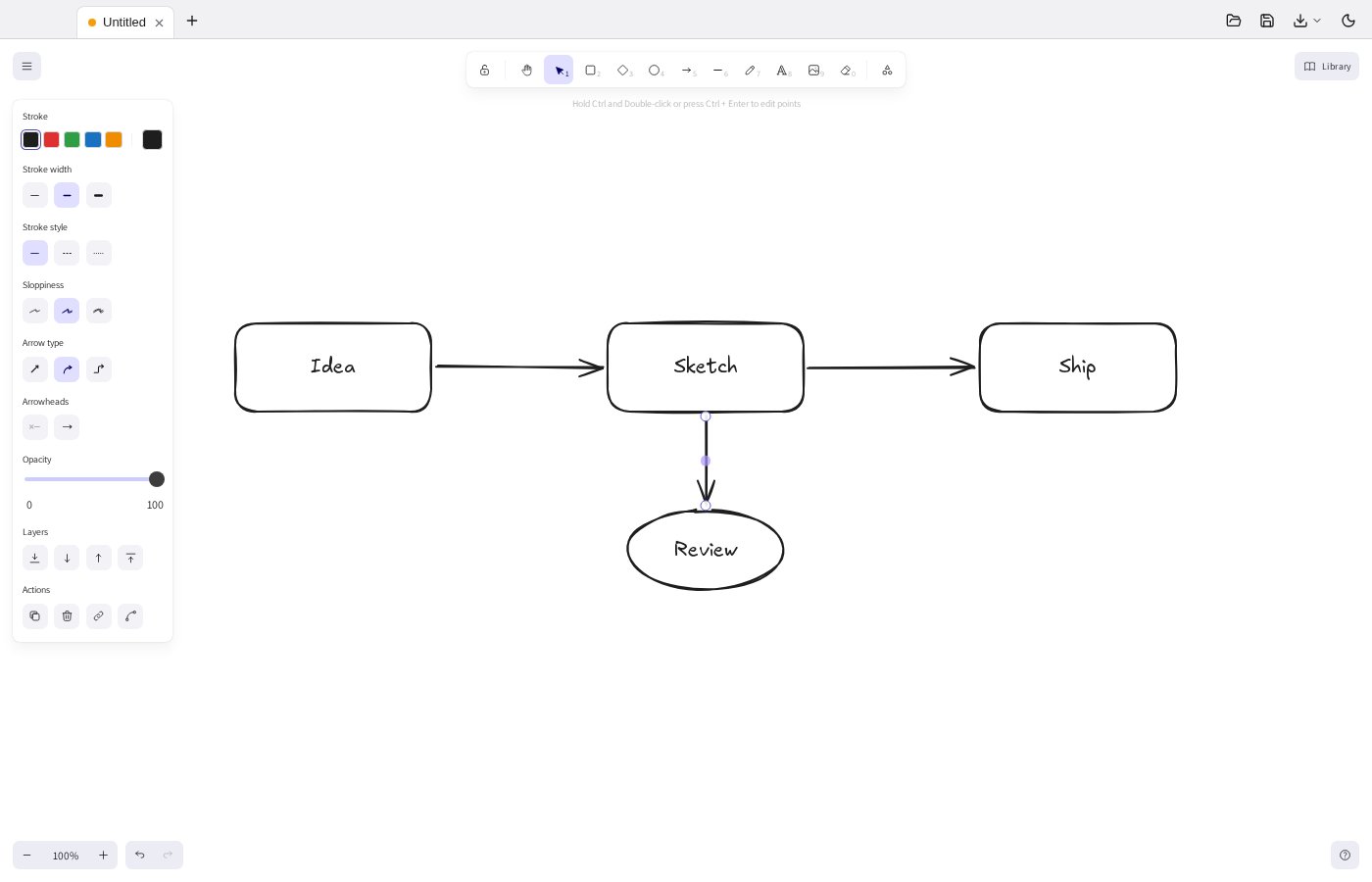
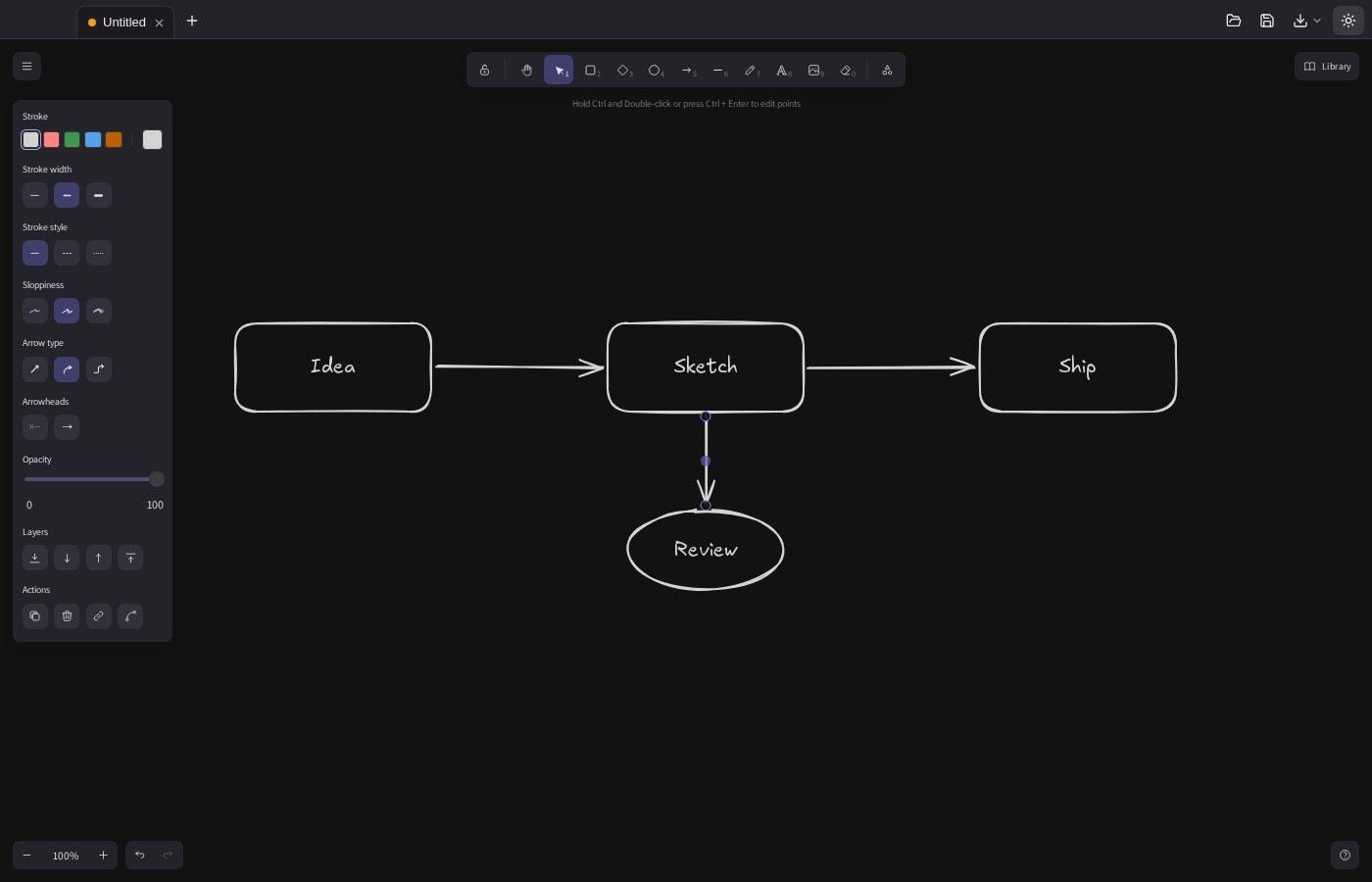
WyzeSketch is a virtual whiteboard that makes your diagrams look hand-drawn. Draw boxes, arrows and shapes, drop in text and images, and get a result that feels like a sketch on paper rather than a rigid chart. That makes ideas feel open to change, which is exactly what you want in the early stages of a project.
It is a native Mac app built on the open-source Excalidraw editor, packaged to work with your files: each drawing is saved as a regular file on your Mac, you can keep several open in tabs, and nothing needs an account or an internet connection.
What you get
- A full set of drawing tools — Rectangle, diamond, ellipse, arrow, line, freehand pen, text, images and an eraser, plus a hand tool to pan and a lock to keep a tool selected while you draw several shapes.
- Diagrams that look hand-drawn — Shapes and lines get a natural, sketched look, so a rough idea does not look finished before it is.
- Your drawings are plain files — Each drawing is saved as a standard .excalidraw file that you keep where you want. Saves are written safely, so a crash cannot leave you with half a drawing.
- Several drawings in tabs — Keep multiple drawings open at once and switch between them, with a marker on the tabs that have unsaved changes.
- Autosave once a file exists — After you save a drawing for the first time, your changes are saved automatically as you work.
- Export to PNG, SVG or PDF — Export your board as an image, as a scalable vector (SVG) or as a PDF to print or send. The app tells you if there is nothing to export.
- Open by dragging a file in — Drag an .excalidraw drawing onto the window to open it, or use File > Open.
- Light and dark — Switch between a light and a dark board to suit your room or your slides.
- Won't lose your work — If you close a drawing with unsaved changes, WyzeSketch asks whether to save first.
- Private by design — No account, no cloud, no tracking: your drawings stay on your Mac. Available in English and French.
Perfect for
- Teams sketching an architecture, a user flow or a process before building it
- Teachers and trainers who explain ideas by drawing them
- Anyone who thinks better with a rough diagram than a formal one
- People who want a whiteboard that works offline and keeps files on their own computer
Frequently asked questions
What is WyzeSketch?
WyzeSketch is a macOS whiteboard app for hand-drawn style diagrams. You draw shapes, arrows and text, save the drawing as a file, and export it as PNG, SVG or PDF.
Is WyzeSketch really free?
Yes. WyzeSketch is free for a limited time. Download it during that period and it is yours to keep, with no account and no subscription.
What is it based on?
WyzeSketch is built on Excalidraw, an open-source whiteboard editor released under the MIT licence. Full credit for the drawing engine goes to its contributors. WyzeSketch is an independent desktop app and is not affiliated with Excalidraw.
Can I open my Excalidraw drawings?
Yes. WyzeSketch opens and saves the standard .excalidraw file format, so drawings made in Excalidraw can be opened, and the ones you make here can be opened elsewhere. Files that are not valid drawings are refused with a clear message.
Does it need an internet connection or an account?
No. It works fully offline and needs no account. Your drawings are stored where you save them on your Mac.
Can several people draw together?
No. WyzeSketch is a single-user app and does not include live collaboration. To share a drawing, send the file or export it as an image or PDF.
Which Macs are supported?
This build is for Macs with Apple silicon (M1 and later). Intel Macs are not supported.
macOS says the app cannot be opened. What do I do?
The app is not yet notarised by Apple, so macOS may block the first launch. Open System Settings > Privacy & Security, scroll to the message about the app and click Open Anyway. You only need to do this once.
More from Labwyze Apps
WyzePDFFree
The PDF editor for Mac that does it all: annotate, fix text, fill, sign and protect. Fully offline.

WyzeChessFree
Cinematic 3D chess: sculpted armies march, fight and fall on every capture. Play the computer or a friend.
WyzeTasksFree
Kanban boards for your Mac that work offline. Plan, drag, finish. No account, no cloud.
FrameDeckFree
Manage the art on all your Samsung The Frame TVs from your Mac. Upload, browse free museum art and rotate in a few clicks.
WyzePlanFree
Plan projects the way they really work: say what waits for what, and every date calculates itself.

WyzeSnapFree
Capture any part of your screen, mark it up and share it in seconds. Everything stays on your Mac.

WyzeScribeFree
Record your calls and meetings, both sides, and get an editable transcript made on your own Mac. No bot, no upload.
WyzeMotionFree
Record your screen and let the zooms write themselves. The camera follows your cursor, so your tutorials and demos look polished with no editing.