
WyzeClear
Remove the background from any photo in seconds. The AI runs on your Mac, so your pictures are never uploaded.
FREE No account, no subscription. This app is completely free.
Updated October 2026 · v1.0.0
Your download starts right away. Mac with Apple silicon · 148 MB
Demo & screenshots
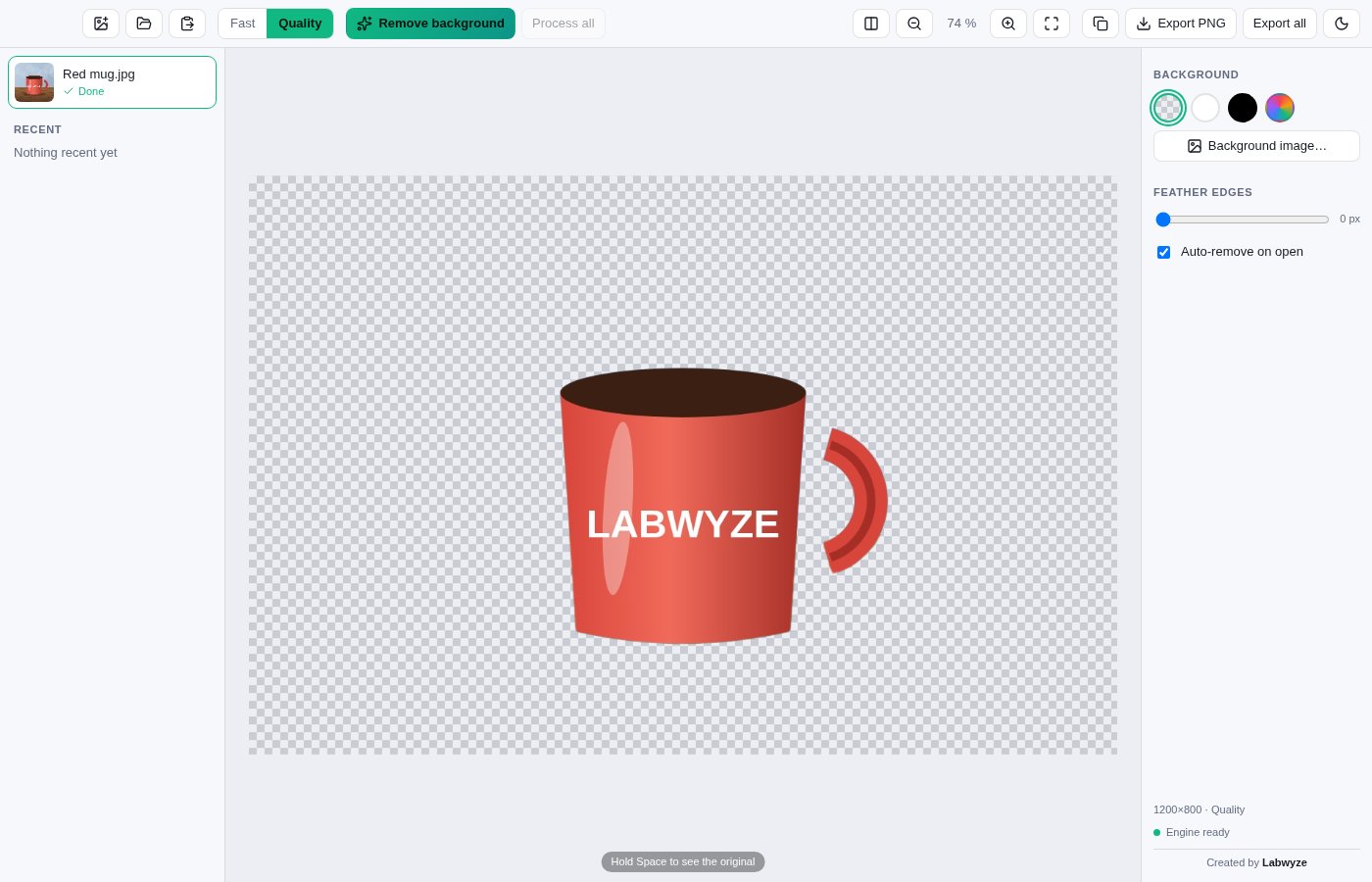
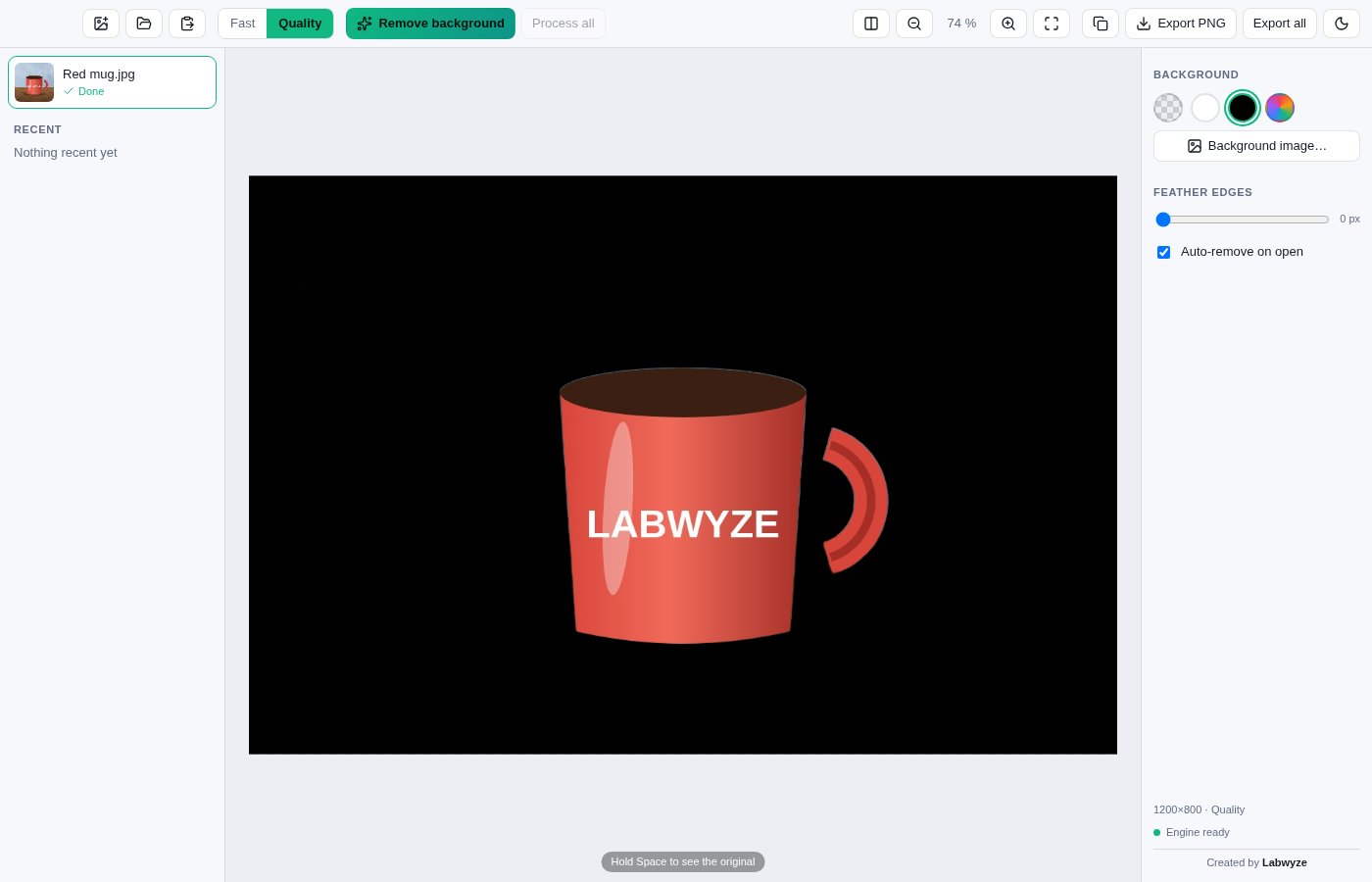
WyzeClear cuts the subject out of a photo and removes everything behind it. Drop in a picture, and a few seconds later you have a clean cut-out on a transparent background, ready for a product listing, a profile picture, a presentation or a collage.
The detection is done by AI models that are built into the app and run on your Mac. Nothing is uploaded and no account is needed. The screenshots show an illustration generated for this page, not a real photograph.
What you get
- One-step background removal — Open or drop a picture and the background is removed automatically, or run it yourself when you prefer. The result is a PNG with a transparent background.
- AI that stays on your Mac — The two detection models are inside the app and work with no connection. Your pictures are never sent anywhere.
- Fast or Quality — Fast mode is quicker with a little less detail. Quality mode gives cleaner edges, especially around hair and fur, and takes a bit longer. Switch whenever you like.
- Before and after — Drag a divider across the picture to compare the original with the result, or hold Space to peek at the original.
- Choose the new background — Keep it transparent, or place the subject on white, black, another colour or an image of your own.
- Soften the edges — Feather the cut-out slightly so it blends more naturally into a new background. Soft edges look best in Quality mode.
- Process many pictures — Open several images or a whole folder, process them all in one go, and export every finished cut-out together.
- Many image formats — Works with JPEG, PNG, WebP, BMP, GIF, AVIF and iPhone HEIC photos, which are converted using macOS's own tool. Paste an image from the clipboard too.
- Export or copy — Export a PNG, export the whole batch, or copy the result to the clipboard to paste straight into another app. Zoom in to check the edges first.
- Recent pictures — Your recent pictures are kept in a list so you can reopen them later and adjust the background without starting over. Light and dark appearance, in English and French.
Perfect for
- Sellers who need clean product photos for a shop or marketplace
- People who want a profile picture or ID-style photo on a plain background
- Designers and creators who build slides, posters and collages from cut-outs
- Anyone who cannot upload personal photos to an online service
Frequently asked questions
What is WyzeClear?
WyzeClear is a macOS app that removes the background from photos using AI models that run on your Mac, and lets you export the cut-out or place it on a new background.
Is WyzeClear really free?
Yes. WyzeClear is free for a limited time. Download it during that period and it is yours to keep, with no account and no subscription.
Are my photos uploaded?
No. The detection models are included in the app and run on your computer. The app does not send your images anywhere.
How good are the results?
Good on clearly defined subjects such as products, people and pets against a different background. Results are weaker when the subject and the background look alike, with very fine or see-through details, or in very busy scenes. Quality mode handles hair and fur better than Fast mode. Always check the edges before using a result.
Which models does it use, and under what licence?
Fast mode uses U²-Net-p, released under the Apache-2.0 licence. Quality mode uses a quantised version of IS-Net, released under the MIT licence by imgly. Full credit goes to their authors.
Which file types can I open?
JPEG, PNG, WebP, BMP, GIF, AVIF and HEIC/HEIF. HEIC photos are converted with a tool built into macOS. Images over 48 megapixels are refused.
What do I get when I export?
A PNG file. With a transparent background it keeps the transparency; if you chose a colour or an image, that background is included.
Can I fix a cut-out by hand?
No. WyzeClear has no brush to add back or erase parts of the mask. You can switch between Fast and Quality, soften the edges, or choose another background.
Which Macs are supported?
This build is for Macs with Apple silicon (M1 and later). Intel Macs are not supported.
macOS says the app cannot be opened. What do I do?
The app is not yet notarised by Apple, so macOS may block the first launch. Open System Settings > Privacy & Security, scroll to the message about the app and click Open Anyway. You only need to do this once.
More from Labwyze Apps
WyzePDFFree
The PDF editor for Mac that does it all: annotate, fix text, fill, sign and protect. Fully offline.
WyzeChessFree
Cinematic 3D chess: sculpted armies march, fight and fall on every capture. Play the computer or a friend.
WyzeTasksFree
Kanban boards for your Mac that work offline. Plan, drag, finish. No account, no cloud.
FrameDeckFree
Manage the art on all your Samsung The Frame TVs from your Mac. Upload, browse free museum art and rotate in a few clicks.
WyzePlanFree
Plan projects the way they really work: say what waits for what, and every date calculates itself.
WyzeSnapFree
Capture any part of your screen, mark it up and share it in seconds. Everything stays on your Mac.
WyzeScribeFree
Record your calls and meetings, both sides, and get an editable transcript made on your own Mac. No bot, no upload.
WyzeSketchFree
A hand-drawn whiteboard for diagrams and ideas. Sketch, save as a file, export to PNG, SVG or PDF. All on your Mac.
WyzeMotionFree
Record your screen and let the zooms write themselves. The camera follows your cursor, so your tutorials and demos look polished with no editing.
WyzePhotoFree
Edit photos with layers, masks and adjustments you can change at any time. Opens PSD and camera RAW files. Everything stays on your Mac.
WyzeBlocFree
A calm falling-blocks game for one player. Slow pace, soft colours and music. Breathe, place, enjoy.
WyzeSolidFree
Open, measure and edit 3D CAD files on your Mac. STEP, IGES, BREP and STL, with nothing sent online.